

Training an Insanely Good Style
If you’re a Krea user, you’re already awesome at text prompting. You’ve also probably trained LoRAs before. But what makes a great custom model? Krea’s 3 Key Steps for Training:- Curation
- You need top tier images - high quality, high cohesion. You are the curator and Krea is your gallery.
- Refinement
- Krea makes it super easy to tweak all the technical specs - foundation models, training steps, etc. Fine tune to your heart’s content.
- Alchemy
- Lets be clear: Style Training is it’s own art, not an exact science. If your training fails expectations don’t panic. This is a trial and error process to create something magical. Iterate, iterate, iterate!
Prompt: An alchemist in their laboratory distilling an elixir, abstract. Made using custom style with Krea 1 model.
1. Curation
Uploading
From Krea.ai, click the Home icon, under assets click Train. Or just scroll down.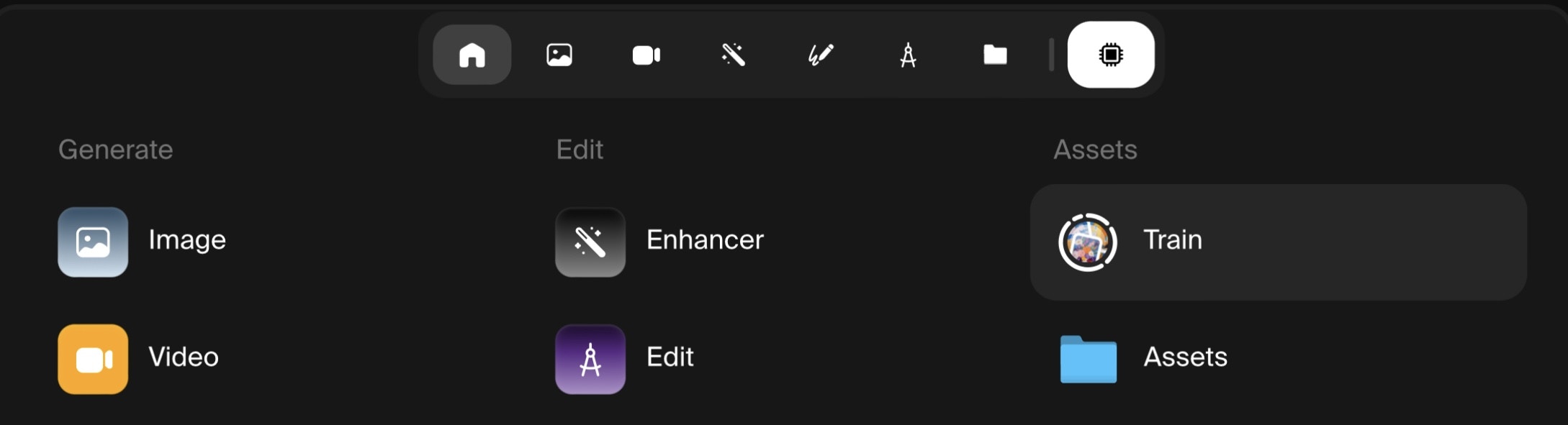
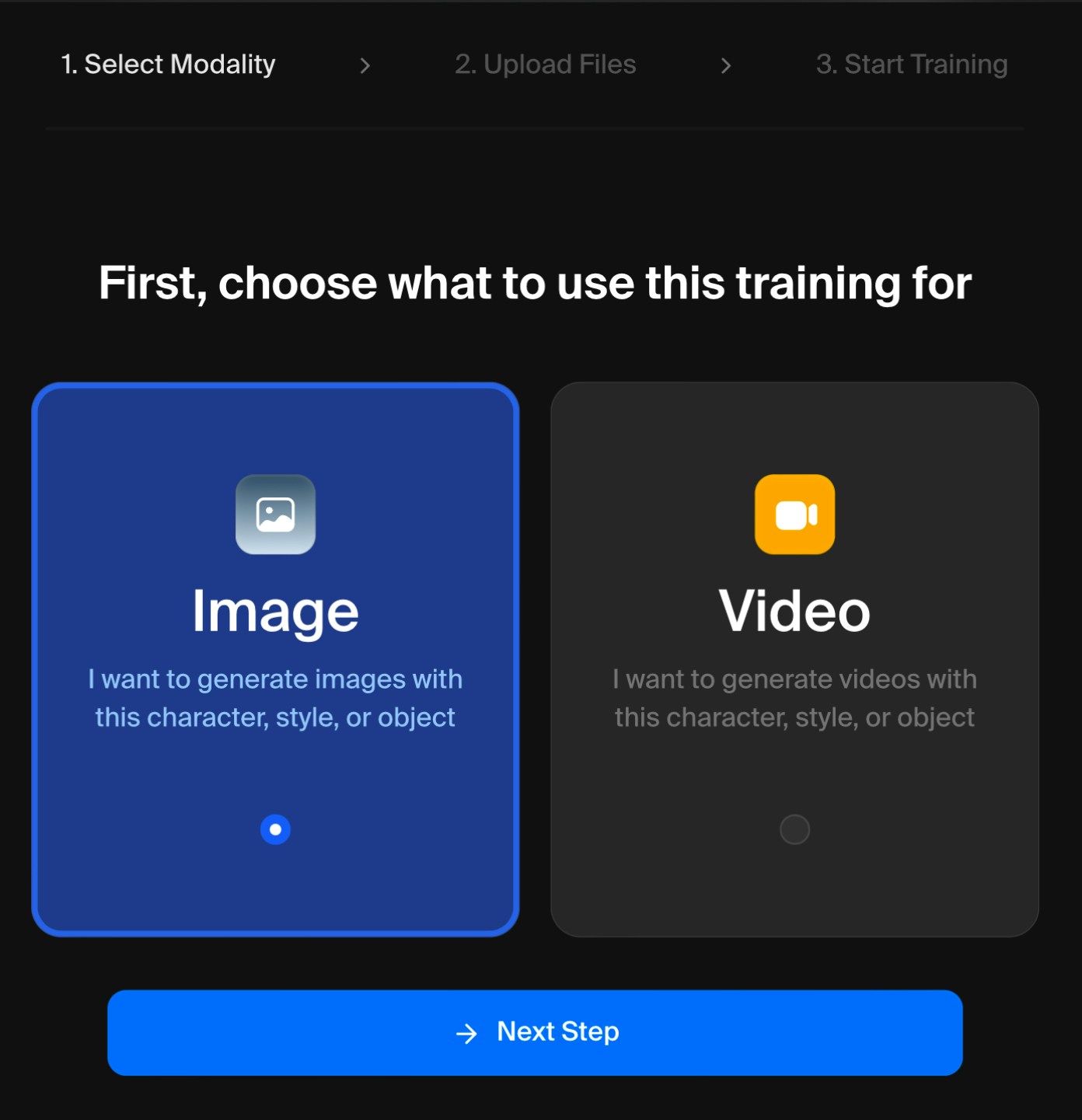
Dataset Types
Character- You can train a model to understand specific drawn or rendered character (illustration, concept art, animation, video games, etc.). Also for training on a real person’s face (consensually, of course).
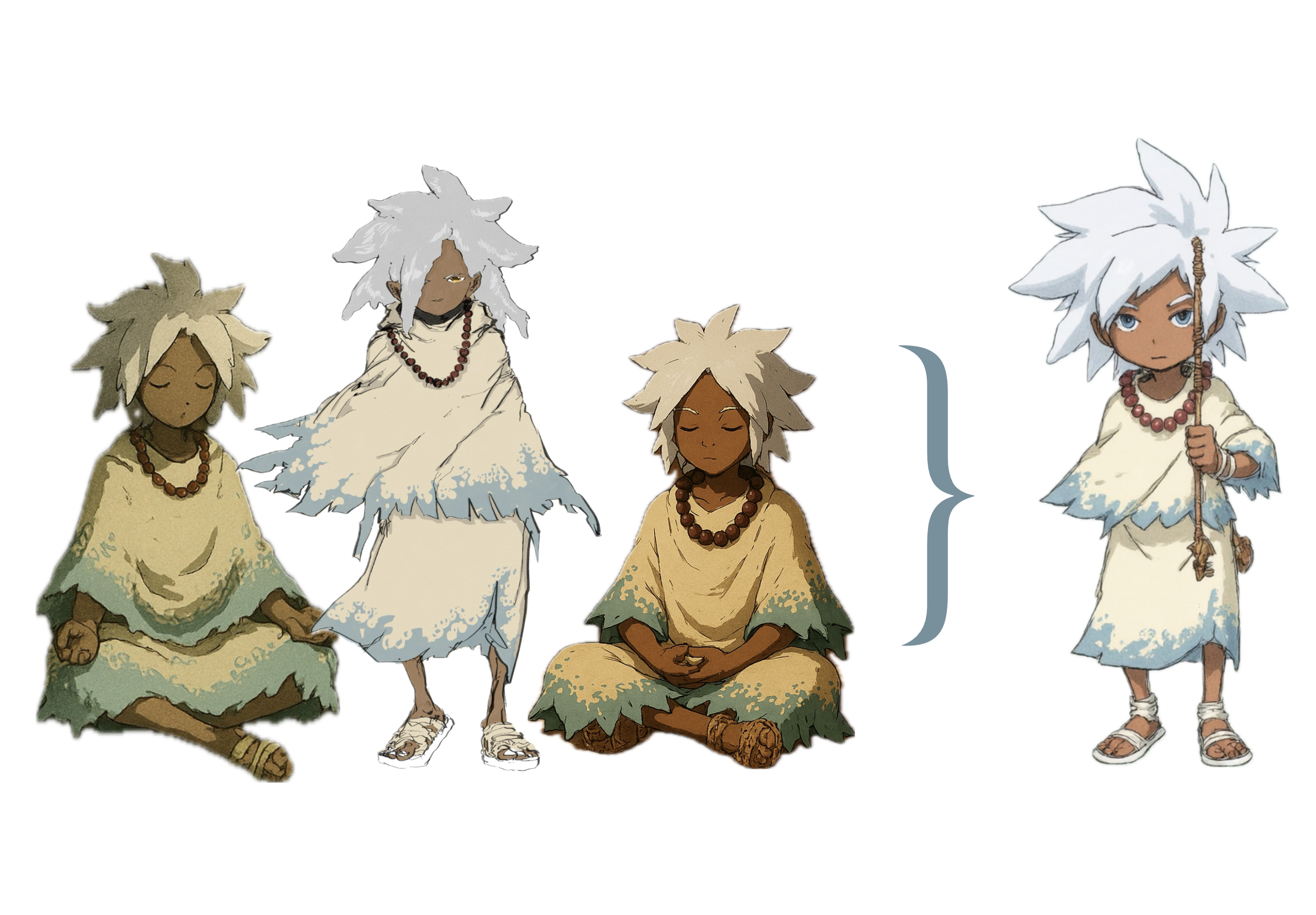
The character data (right) and the style generated character (left) have consistent details.
- Use as many images of your character in the exact same attire for consistency. A variety of poses, angles, and actions are ideal.
- Animators and concept artists - this is a super similar workflow to making character sheets.
- Same principles as character training - exact object, multiple angles, closeups for detail and wide shots for context.
- If you’re a product designer or work in e-commerce, just upload as many unique product shots as you have.
- Blank or transparent backgrounds can help, but not necessary, as long as the object in the central focus of the image.
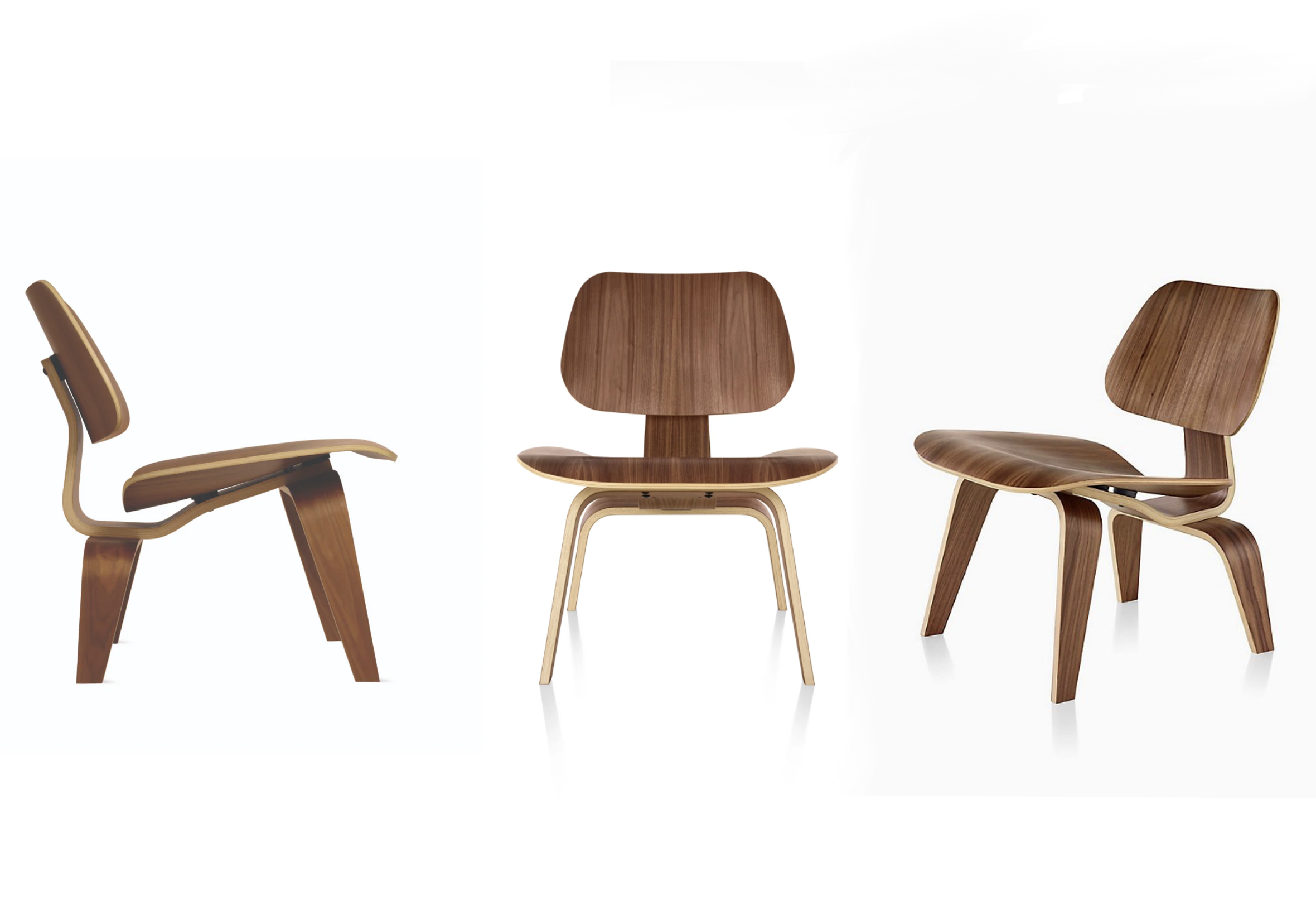
Same object, different angles, blank background. This is great training data.
- If ANY of your images are of a slightly different object or product, this will confuse the model, and muddy the results.
If there’s text on the product, the style might not be able to replicate it unless you have a ton of training images with close ups on the text. Expect artifacts otherwise.
- Here you can have a more relaxed, creative data set. The aesthetic or material of the works - exactly the same - but the subject matter can and should be really diverse.
- Oil painting, anime, liquid chrome, marble, low poly - any true look or medium.
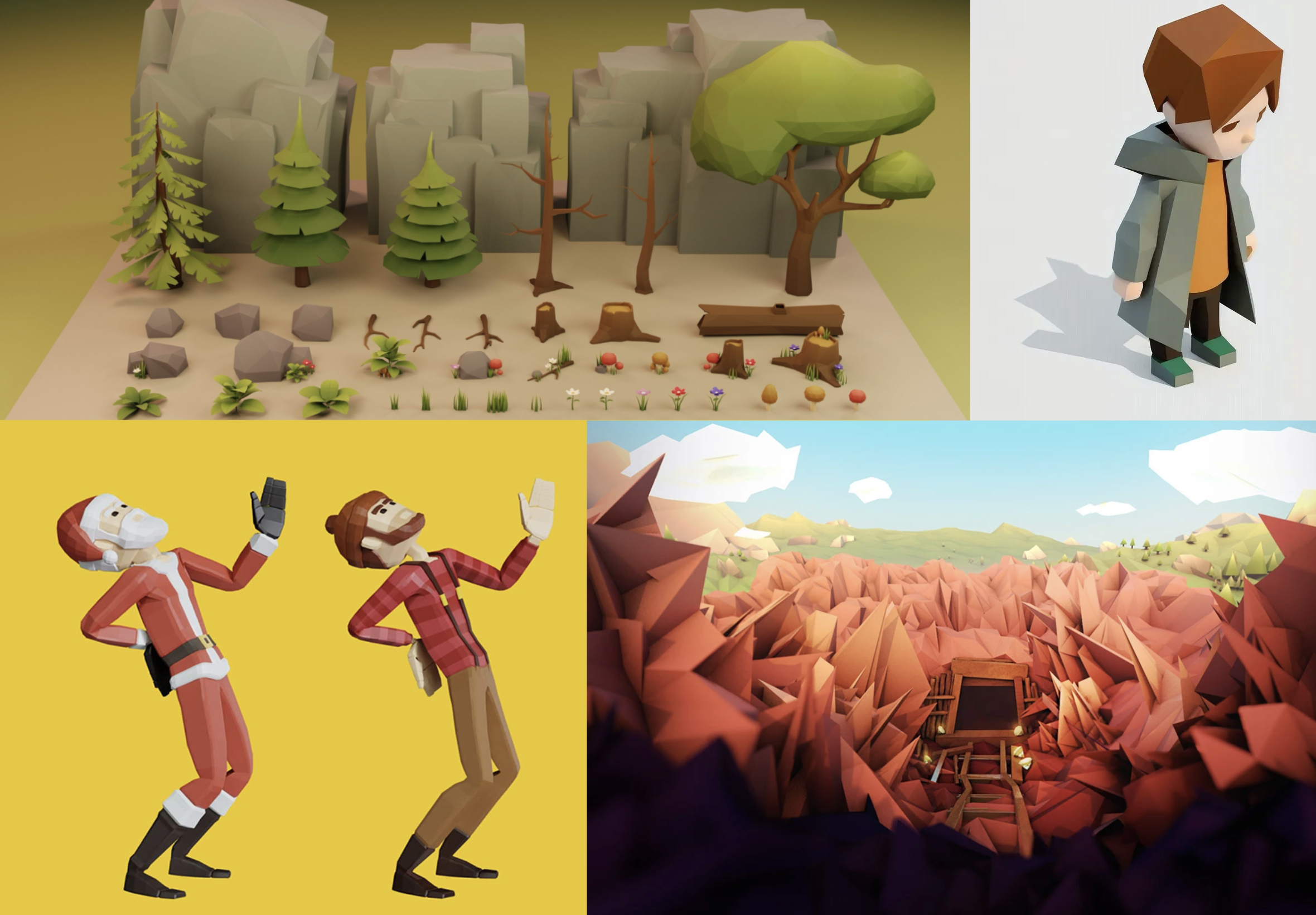
This sampling from a Low Poly dataset contains unique characters and backgrounds.
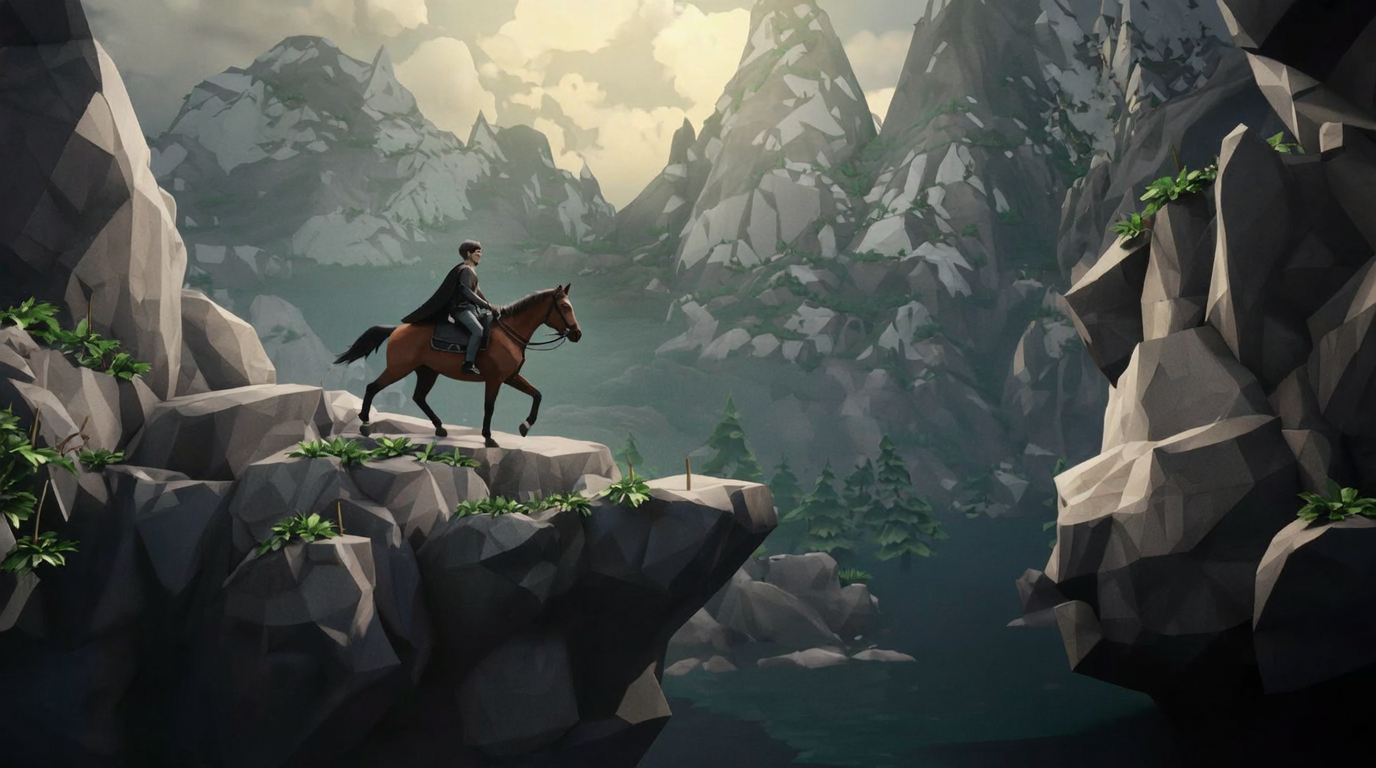
This generated image from the Low Poly style created an entirely new subject and compostion.
- A wide breadth stops the style from overfitting to one specific subject, allowing it to be truly inventive.
2. Refinement
Now it’s time to tweak any technical parameters. Krea will name your Custom Style and assign a trigger word when prompting (change if needed).You can also check the meters for the number of images and the average resolution. So far so good.
Model
- Krea’s superpower is that it runs a variety of the top image and video generation models.
- Each model has its own specialties to choose from, but it’s worth experimenting with all of them. Quick breakdown:
| Model | Type | Gen. Time | Strengths | Use Cases |
|---|---|---|---|---|
| Krea 1 | Image | 8 sec. | Photorealism, highly aesthetic | Graphic Design, Architecture, Product, Marketing Assets |
| Flux | Image | 5 sec. | Photorealism, high prompt adherence, anatomical precision | Concept Art, Graphic Design, Instructional Design, Marketing Assets |
| Flux Realtime | Image | 1 min. | Adapts in realtime to edits, high prompt adherence | Protoyping, Social Content, E-Commerce |
| Wan 2.1 | Video | 1 min. | Natural motion, high scene consistency | Marketing, Social Content, Educational Assets |
| Wan 2.2 | Image | 20 sec. | Ultra realistic renders, highly aesthetic | Animation assets, Upscaling, Concept Art, Social Content |
| Qwen | Image | 15 sec. | Great text generation, prompt adherence | Text Assets, E-Commerce, Technical Designs, Concept Art |
Steps
- Increased steps = more time spent studying the data. Also can cost a lot of compute and overfitting, where the style just regurgitates the training images. Good start value is amount of images x 20.

Default: 250.
Learning Rate
- Higher learning rate can lead to faster training, but also could lead to the style overfitting to the data. A low learning rate will take more time to train.

Default: 0.004 (4e-3)
Batch Size
- Higher batch sizes can speed up training, but also lead to generic results. Adjusting the Batch Size and Learning Rate proportionally is recommended. For small datasets stick to our default.

Default: 1
3. Alchemy
Once the style is trained, it’s time to experiment. Prompt gods - this is where you pop off.Push the Style:
- Go above and beyond. Find strengths and shortcomings. Discover and document when the style generates great results, and when it doesn’t.
- If the outputs are overfit to the style, consider:
- Diversifying the training data
- Reducing the learning rate
- If the outputs are too varied, consider:
- Adding more images to the data set
- Removing weak or diverse images from the data set
- Increasing the learning rate
- If the outputs are overfit to the style, consider:
Based on these very similar sample generations, this style may be overfit. Try again.
Retraining
- Try a different model
- One model may be better than an another to capture your style. Shop around, that’s what Krea is for. Refer to the model chart above if you’re unsure.
- Merge datasets
- Combining two or more datasets can create truly unique aesthetics. When stuck or frustrated with the limitations of a style, infuse it with new life.
- Keep Experimenting
- Increase or decrease the number of images.
- Ensure all your images are high resolution.
- Tinker with Krea’s fine tuning settings.