Documentation Index
Fetch the complete documentation index at: https://docs.krea.ai/llms.txt
Use this file to discover all available pages before exploring further.
Create powerful AI workflows in Krea’s visual builder to chain models, apply edits and effects, automate repeated steps, and turn workflows into shareable apps.
Try Nodes
krea.ai/nodes
The basics
Every node has three key elements:
| Element | Description |
|---|
| Inputs | Connection points on the left side where data flows in. These can be connected to other nodes’ outputs or filled in manually. |
| Parameters | Settings within the node itself, like strength values, resolution options, or prompt text. |
| Outputs | Connection points on the right side where results flow out to other nodes. |
The canvas
The nodes canvas is your workspace for building workflows. You can navigate the canvas using the following controls:
| Action | Control |
|---|
| Pan | Click and drag empty space, or hold spacebar and drag |
| Zoom | Scroll wheel or pinch gesture |
| Select multiple | Click and drag to draw selection box, or hold Shift and click to select multiple nodes |
- To select nodes in Pan mode: hold Cmd/Ctrl and click & drag
- To pan the canvas in Select mode: hold Spacebar and click & drag
Organizing
- Use section nodes to group related operations visually
- Create node groups by selecting multiple nodes and pressing the Group button. Once you have a group, you can drag nodes in or out to add or remove them
- Add sticky notes to document your workflow logic
All available nodes
Last Updated: April 13, 2026
This section provides a comprehensive reference of all nodes available in the Krea Nodes workflow editor. Models rotate quarterly—always verify current availability in the Nodes interface at krea.ai/nodes.
Generate Image
AI models for generating images from text prompts and image references.
| Name | Description | Supports Styles | Image Prompt | Max Image Refs |
|---|
| Krea 1 | Fast creative model, best for aesthetic images and photorealism | Yes | Yes | 2 |
| Nano Banana Pro | Newer model with native 4K image generation and editing capabilities | No | Yes | 15 |
| Nano Banana | Smart model, good for image editing | No | Yes | 3 |
| ChatGPT Image 1.5 | Highest quality with best prompt adherence; ideal for logos, icons, and text | No | Yes | 15 |
| ChatGPT Image | Highest quality with best prompt adherence | Yes | Yes | 15 |
| Flux 2 | FLUX.2 [dev] with enhanced realism and native editing capabilities | No | Yes | 3 |
| Flux 2 Pro | BFL’s next generation model with improved quality and prompt adherence | No | Yes | 10 |
| Flux 2 Flex | BFL’s next generation model, excelling at rendering text and fine details | No | Yes | 10 |
| Flux 2 Max | BFL’s next generation model, excelling at rendering text and fine details | No | Yes | 10 |
| Flux | Fastest and cheapest model | Yes | Yes | 2 |
| Flux 1.1 Pro | Advanced yet efficient model from BFL | No | No | - |
| Flux 1.1 Pro Ultra | BFL’s highest quality text-to-image model | No | No | - |
| Z Image | Fast high quality image model from Alibaba | Yes | Yes | 1 |
| Qwen Image 2512 | Enhanced realism, finer natural detail, and improved text rendering | Yes | No | - |
| Seedream 4.5 | Latest high quality model for photorealism and text rendering | No | Yes | 15 |
| Seedream 4 | New high quality model for photorealism and text rendering | No | Yes | 6 |
| Seedream 3 | New fast, high-quality model from ByteDance | No | No | - |
| Wan 2.2 | Slow model with great ultra-realistic textures for aesthetic outputs | Yes | No | - |
| Qwen | Great text rendering and prompt adherence | Yes | No | - |
| Flux.1 Krea | Distilled and open sourced version of Krea 1 | Yes | Yes | - |
| Flux Kontext | Frontier model designed for image editing, optimized for Krea | No | Yes | 1 |
| Flux Kontext Pro | Frontier model designed for image editing | No | Yes | 4 |
| Imagen 4 Ultra | Google’s best image model | No | No | - |
| Imagen 4 Fast | Google’s fastest image model | No | No | - |
| Imagen 4 | Google’s current generation image model | No | No | - |
| Imagen 3 | Google’s previous generation image model | No | No | - |
| Runway Gen-4 | Cinematic image model with references | No | No | - |
| Kling O1 | High quality image model with reference support | No | No | 10 |
| Ideogram 3.0 | Highly aesthetic, general-purpose model | No | Yes | 1 |
Generate Video
AI models for generating videos from text prompts and images.
| Name | Description | Start Image | End Image | Camera Control | Audio | Durations |
|---|
| Krea Realtime | New real-time video generation trained by Krea. Fast and long generations, up to 15 seconds | No | No | No | No | 5s default |
| Hailuo 2.3 | Frontier model with dynamic motion | Yes | No | No | - | 6s, 10s |
| Hailuo 2.3 Fast | Cheapest medium-quality model. Best for most use cases | Yes | No | No | - | 6s, 10s |
| Hailuo 02 | Frontier model with dynamic motion | Yes | Yes | No | - | 6s, 10s |
| Hailuo | High-quality model with camera control | Yes | No | Yes | - | - |
| Veo 3.1 | Highest-quality frontier model with audio and reference images | Yes | Yes | No | Yes | 4s, 6s, 8s |
| Veo 3.1 Fast | Faster frontier model with audio | Yes | Yes | No | Yes | 4s, 6s, 8s |
| Veo 3 | Highest-quality frontier model with audio | Yes | No | No | Yes | 4s, 6s, 8s |
| Veo 3 Fast | Fast frontier model with audio | Yes | No | No | Yes | 4s, 6s, 8s |
| Veo 2 | Expensive high-quality model from Google | Yes | No | No | - | 5-8s |
| Sora 2 | OpenAI’s new powerful video model. Create rich detailed, dynamic clips | Yes | No | No | No | 4s, 8s, 12s |
| Sora 2 Pro | OpenAI’s state-of-the-art, most advanced video generation model | Yes | No | No | No | 4s, 8s, 12s |
| Wan 2.1 | Fastest lower-quality model with custom styles | Yes | Yes | No | Yes | - |
| Wan 2.2 | Fast, high-quality model from Alibaba | Yes | No | No | No | - |
| Wan 2.5 | Latest frontier model from Alibaba with improved quality | Yes | No | No | Yes | 5s, 10s |
| Wan 2.6 | Latest frontier model from Alibaba with improved quality and multi-shot support | Yes | No | No | Yes | 5s, 10s, 15s |
| Seedance 1.5 Pro | Latest frontier model from ByteDance with audio support and end frame | Yes | Yes | No | Yes | 4-12s |
| Seedance Pro Fast | Fast and cheap model. Up to 12 seconds | Yes | No | No | - | 2-12s |
| Seedance Lite | Fast, high-quality model from ByteDance | Yes | Yes | No | - | 5s, 10s |
| Seedance Pro | Fast, high-quality model from ByteDance | Yes | Yes | No | - | 5s, 10s |
| Kling o1 | Reasoning video model that thinks before generating. Supports image, element, and video references | Yes | Yes | No | - | 3-10s |
| Kling 2.6 | Newest frontier model from Kling with native audio | Yes | Yes | No | Yes | 5s, 10s |
| Kling 2.5 | Next-gen model with improved dynamics and enhanced style adaptation | Yes | Yes | No | - | 5s, 10s |
| Kling 2.5 Turbo | Top-tier text-to-video with unparalleled motion fluidity | Yes | Yes | No | - | 5s, 10s |
| Kling 2.1 | Frontier model with 1080p resolution | Yes | Yes | No | - | 5s, 10s |
| Kling 2.0 | High-quality model with great aesthetics | Yes | No | No | - | 5s |
| Kling 1.6 | High-quality model for complex scenes | Yes | No | No | - | 5s, 10s |
| Kling 1.0 (Pro) | Slow model with high control and 10s duration | Yes | Yes | No | - | 5s, 10s |
| LTX-2 | High-quality audio-video model from Lightricks with native sound generation | Yes | No | No | No | 5s, 8s, 10s |
| Vidu Q2 | High-quality model with reference images support | Yes | No | No | - | 2-8s |
| 01-Live | High-quality model for animating people | Yes | No | No | - | - |
| Runway Gen-4 | High-quality, cinematic model | Yes | No | No | - | 5s, 10s |
| Runway Gen-3 | Cinematic model with high consistency | Yes | No | No | - | 5s, 10s |
| Hunyuan | Fast, inexpensive model with live previews | No | No | No | - | - |
| Ray 2 | Fast next-gen model with natural motion | Yes | No | No | - | - |
Edit Image
Models for editing and modifying existing images.
| Name | Description | Inpainting | Outpainting | Prompt Editing | Reference Images |
|---|
| Flux | More tools, more control. Define exact regions to change, or expand your image | Yes | Yes | No | Yes |
| Nano Banana Pro | Google’s state-of-the-art image editing model | No | No | Yes | Yes |
| Nano Banana | Google’s powerful image editing model | No | No | Yes | Yes |
| ChatGPT Image 1.5 | OpenAI’s latest image model with improved quality and prompt adherence | No | No | Yes | Yes |
| Flux 2 Pro | BFL’s next generation model with improved quality and prompt adherence | No | No | Yes | Yes |
| Flux 2 Flex | BFL’s next generation model, excelling at rendering text and fine details | No | No | Yes | Yes |
| Flux 2 Max | BFL’s next generation model with maximum performance | No | No | Yes | Yes |
| Qwen Image Plus | New large image editing model from Alibaba | No | No | Yes | Yes |
| Qwen Image Edit | Advanced image editing model from Alibaba | No | No | Yes | No |
| Flux Kontext | Frontier model designed for image editing | No | No | Yes | No |
| Flux Kontext Pro | Fast iterative editing with character consistency | No | No | Yes | No |
| Flux Kontext Max | Maximum performance with improved prompt adherence and typography | No | No | Yes | Yes |
| ChatGPT Image | OpenAI’s most advanced image model | No | No | Yes | Yes |
| SeedEdit | New frontier model designed for image editing (character references) | No | No | Yes | Character Refs |
| Ideogram | New frontier model designed for inpainting | Yes | No | No | Character Refs |
| Qwen Image Layered | Decompose your image into semantic layers | No | No | Yes | No |
Enhance Image
Models for upscaling and enhancing image quality.
| Name | Description | Max Resolution |
|---|
| Krea Enhance | Krea’s powerful generative upscaler. Best for adding new details & improving AI images | 8192px |
| Upscale V1 | Simple, fast upscaler that preserves details exceptionally well | 8000px |
| Bloom | Creatively upscale images up to 8x, while adding stunning detail | 10000px |
| Magnific Creative | Magnific AI upscaler with presets for portraits, art, landscapes | 10000px |
| Magnific Precise | Magnific Precise V2 upscaler with sharpening, grain, and ultra detail controls | 10000px |
| Topaz | Powerful upscaler with advanced settings. Up to 22K resolution | 22000px |
| Topaz Generative | Slower high quality enhancer with powerful settings | 16000px |
| Krea Legacy | Krea’s generative legacy enhancer with scene transfer | 4096px |
Enhance Video
Models for upscaling and enhancing video quality.
| Name | Description | Max Resolution |
|---|
| Topaz Video | Topaz’s powerful AI upscaler. Add frames and grain, fix focus, and more | 8000px |
| Starlight | Diffusion-based AI upscaler that transforms low-resolution and degraded video into HD quality | 4000px |
| Astra | Creative video enhancer for upscaling AI-generated videos up to 4K resolution | 4000px |
| SeedVR2 | ByteDance’s fast video upscaler for quick video enhancement | 3840px |
| Krea Video | Krea’s generative upscaler. Best for adding new details & improving AI videos | 4096px |
Generate 3D
AI models for generating 3D objects.
| Name | Description |
|---|
| TRELLIS 2 | Native 3D generative model for high-quality 3D asset creation |
| TRELLIS | High quality 3D model generator |
| Tripo 3.0 | New state-of-the-art 3D model generator by Tripo |
| Tripo | High quality 3D model generator |
| Hunyuan3D-2mini-Turbo | Fastest 3D model generator |
| Hunyuan3D-2 | High quality 3D model generator |
| Hunyuan3D-2.1 | High quality 3D model generator |
Motion Transfer
Transfer motion from one video to another.
| Name | Description |
|---|
| Kling Motion Control | Transfer motion from one video to another character |
| Runway Aleph | Runway’s Gen-4 Aleph model for advanced video-to-video transformation |
| Wan 2.2 Animate Replace | Replace characters in videos while preserving scene context |
| Wan 2.2 Animate Move | Transfer motion from one video to another character |
Lipsync
Synchronize lip movements with audio.
| Name | Description |
|---|
| Fabric | Turn any image into a talking video. By VEED |
| Hedra | Omnimodal lipsync model by Hedra |
Audio
Nodes for audio generation and synthesis.
| Node Type | Description |
|---|
| Elevenlabs | Generate audio with Elevenlabs text-to-speech. Write text and select a voice |
| ThinkSound | Generate synchronized sound, speech and soundscapes for a video |
| MMAudio | Transform silent videos into immersive experiences with audio-synthesis |
Utility
Utility nodes that help you process images, videos, text, and more. Most utility nodes require a Pro subscription.
Text Utility
| Node Type | Description |
|---|
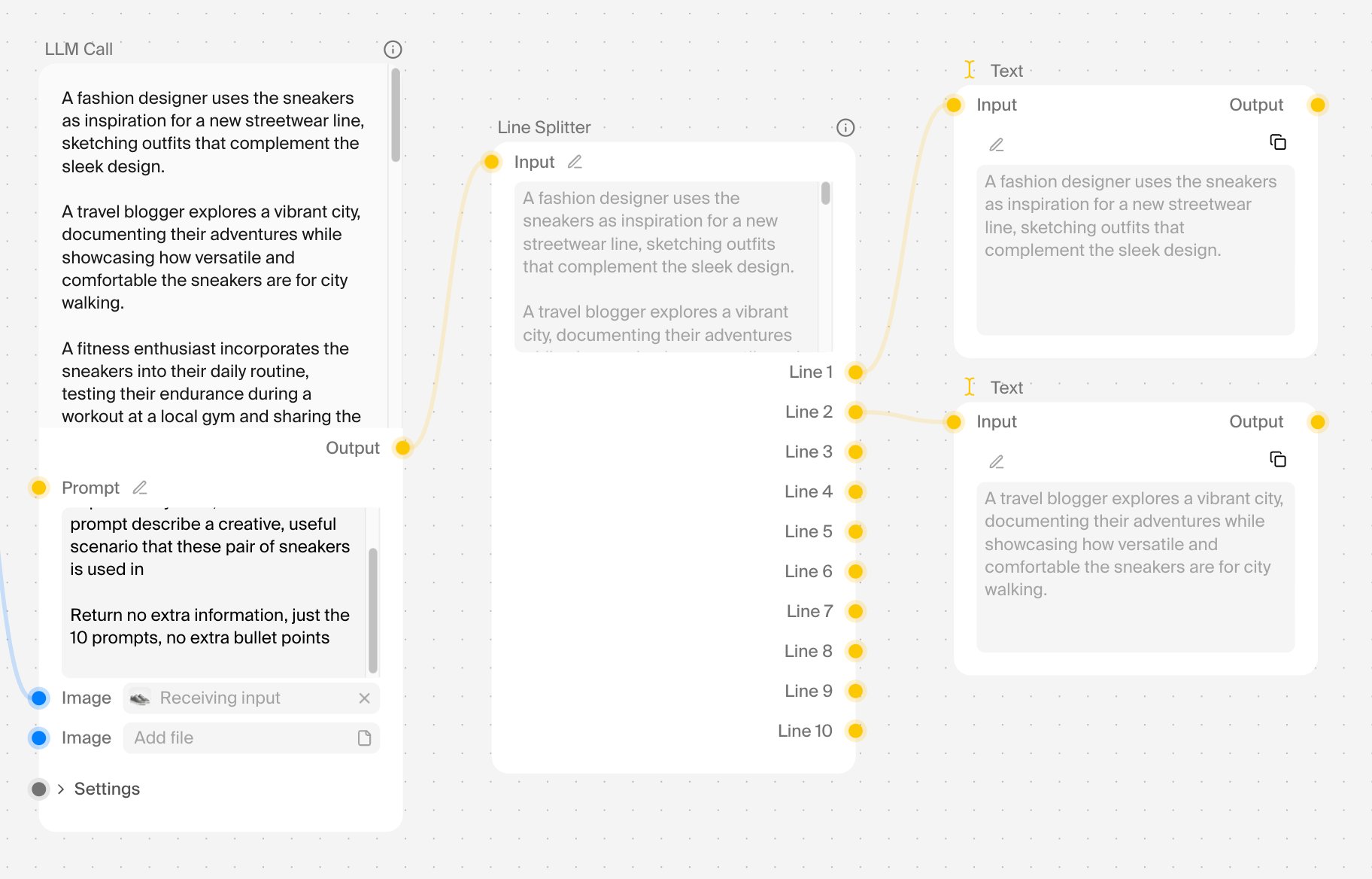
| LLM Call | Generate text with a LLM. Supports GPT-5, GPT-5-Mini, and GPT-4o-Mini, etc. |
| Line Splitter | Split text into lines |
| Concat Text | Concatenate multiple text inputs into one. Supports multiple join operators |
| Sticky Note | Add a sticky note to the canvas |
| Text Overlay | Add text overlay on an image with customizable font, size, color, and positioning |
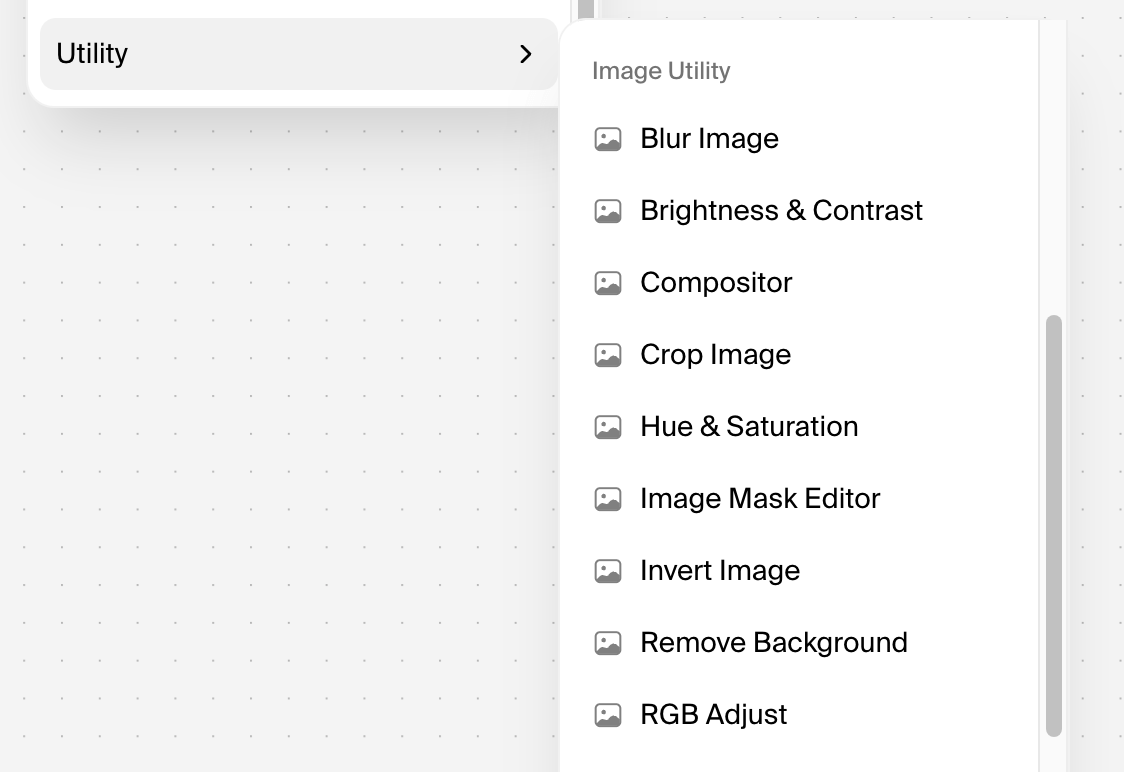
Image Utility
| Node Type | Description |
|---|
| Blur Image | Blur the image |
| Invert Image | Invert the colors of an image |
| Brightness & Contrast | Adjust both brightness and contrast of an image in a single node |
| Compositor | Blend two image layers together with adjustable opacity |
| Hue & Saturation | Adjust the hue and saturation of an image |
| RGB Adjust | Independently adjust the red, green, and blue color channels |
| Remove Background | Remove the background from an image |
| Crop Image | Extract a specific region from an image by cropping |
| Image Mask Editor | Edit the mask of an image |
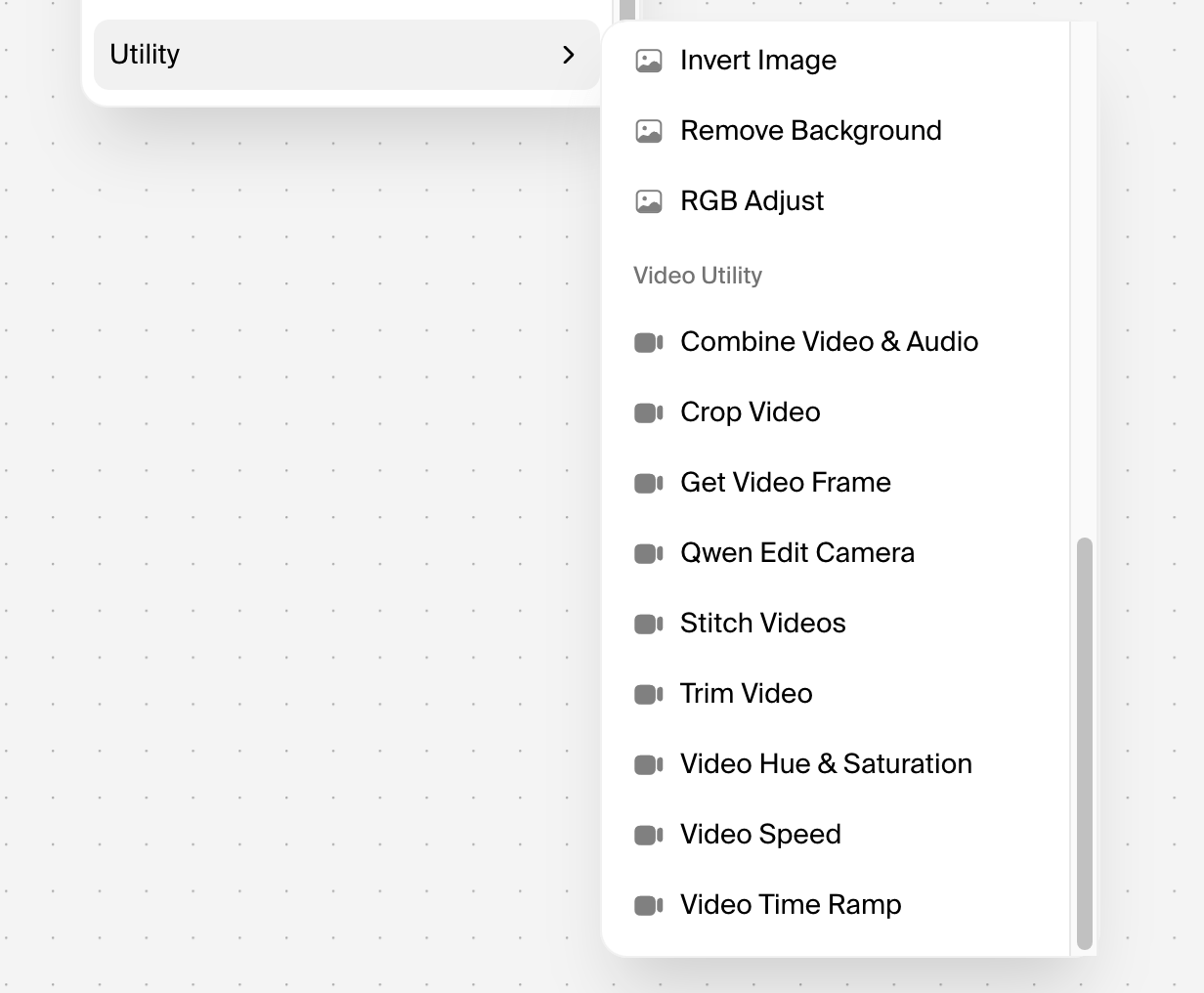
Video Utility
| Node Type | Description |
|---|
| Get Video Frame | Extract a frame from a video. Supports the first or last frame |
| Trim Video | Trim a video to a specific time range |
| Trim Audio | Trim audio to a specific time range |
| Video Speed | Adjust video playback speed |
| Combine Video & Audio | Combine a video and audio file into a single video |
| Video Time Ramp | Remap video timing with different curve types (ease-in, ease-out, bezier, etc.) |
| Stitch Videos | Stitch multiple videos together. Supports multiple video inputs |
| Video Hue & Saturation | Adjust the hue and saturation of a video |
| Crop Video | Crop a video to a specific width and height |
| Qwen Edit Camera | Edit an image using the Qwen Edit Camera model |
Note: Models are ordered by popularity and release date. Bolded entries represent the most actively used models. Availability and features may change as Krea adds new models quarterly.
API Access: All models available via API at docs.krea.ai/api-reference
Node
Utility nodes
Utility nodes provide general-purpose functionality for manipulating data, organizing workflows, and preparing content for AI models. They form the “supporting infrastructure” of your pipeline, handling common tasks without running AI inference themselves.
What utility nodes are for:
- Do not run AI models — they don’t perform AI inference or external API calls directly
- Provide essential support functions, including:
- State manipulation (transform, update, clean variables)
- Workflow composition (organize, group, reroute connections)
- Data formatting (text, images, video preprocessing)
- Math and logic operations
- Graph management (navigation, display)
They let you manipulate state variables, run utility transformations, and compose workflows from reusable components.
Categories of utility nodes
Krea utility nodes are organized into three main categories:
1. Text utility nodes
For manipulating text inputs and outputs:
| Node | Purpose |
|---|
| LLM Call | Generate text with a large language model. Supports GPT-5, GPT-5-Mini, GPT-4o-Mini, etc. |
| Line Splitter | Split text into individual lines based on delimiters |
| Concat Text | Concatenate multiple text inputs into one; supports multiple join operators |
| Sticky Note | Add a visual note to the canvas for documentation |
| Text Overlay | Add text on images with customizable font, size, color, and positioning |
- Split prompts into batches for sequential processing
- Combine metadata fields into a single formatted string
- Add captions or watermarks to generated images
2. Image utility nodes
For post-processing and preparing image inputs:
| Node | Purpose |
|---|
| Blur Image | Apply Gaussian blur to an image |
| Invert Image | Invert all colors for negative effects |
| Brightness & Contrast | Adjust both brightness and contrast in a single node |
| Compositor | Blend two image layers with adjustable opacity |
| Hue & Saturation | Adjust hue and saturation of an image |
| RGB Adjust | Independently adjust red, green, and blue color channels |
| Remove Background | AI-powered background removal for product photography |
| Crop Image | Extract a specific region by cropping |
| Image Mask Editor | Edit the mask of an image (for inpainting/segmentation) |
- Color correction between generation and upscaling
- Background removal for product compositing
- Adjusting hues/saturation for brand consistency
- Creating watermarked overlays with compositor node
3. Video utility nodes
| Node | Purpose |
|---|
| Get Video Frame | Extract first or last frame from a video |
| Trim Video | Trim video to a specific time range |
| Trim Audio | Trim audio to a specific time range |
| Video Speed | Adjust playback speed (slow/fast) |
| Combine Video & Audio | Combine video and audio into a single file |
| Video Time Ramp | Remap timing with curve types (ease-in, ease-out, bezier) |
| Stitch Videos | Stitch multiple videos together; supports multiple inputs |
| Video Hue & Saturation | Adjust hue and saturation of video |
| Crop Video | Crop to specific width and height |
| Qwen Edit Camera | Edit an image using the Qwen Edit Camera model |
- Extracting frames from generated videos for thumbnails
- Trimming clips to specific lengths for social media
- Combining AI-generated video with Elevenlabs audio
- Speed ramping for cinematic effects
Best Practices for Utility Nodes
- Organize with groups — Select multiple nodes and group them to create logical sections
- Label with sticky notes — Document workflow logic for yourself or team members
- Use state modifiers early — Clean and prepare data before it reaches AI models
- Keep single responsibility — Each utility node should do one thing well; chain them for complex workflows
- Preview at each step — Use display nodes to check intermediate outputs (e.g., Display Any from rgthree)
Node app builder
Krea’s Node App Builder lets you turn complex workflows into simple, user-friendly apps with custom input forms and clean interfaces, no coding required.
Think of it this way: you spend hours building a sophisticated workflow with 30+ nodes (image generation → style transfer → background removal → upscaling → watermark → video composition). Instead of sharing that intimidating graph with your client or team, you package it as an app where they just:
- Upload an image (or enter a prompt)
- Pick 2-3 settings from dropdowns
- Click “Generate”
- Get the result
Your team never see the 47 nodes, the connections, or know which models are running. Just inputs → magic → output.
How it works
Step 1: Build your workflow
Create your full pipeline in the Nodes editor. Wire up everything you need: multiple models, utility nodes, loops, conditionals, whatever your process requires.
Mark which node parameters should be exposed as user inputs:
- Text prompts
- Image upload slots
- Dropdown selects (style options, models, aspect ratios)
- Sliders (strength, quality, duration)
- Number inputs (quantity, resolution)
Step 3: Design the app interface
Customize the simple UI that users will see:
- Field labels and descriptions
- Input order
- Default values
- Required vs. optional fields
Step 4: Publish and share
Get a shareable link or embed code:
- Public apps: Anyone with the link can use them
- Private apps: Share only with team members
- API access: Trigger via the Execute a Node App endpoint for custom integrations
Real-World Use Cases
Agencies → Clients
- Product photo generator: Agency builds a 50-node workflow for e-commerce photo shoots. Client uploads a product photo, picks a background style (beach, studio, minimalist), and gets 10 polished images in 30 seconds.
- Social media content pack: Client enters a product name → app generates 12 social posts with images, captions, and hashtags pre-formatted for Instagram, TikTok, and LinkedIn.
Teams → Internal Users
- Brand-compliant asset generator: Marketing team builds a workflow enforcing brand guidelines (colors, fonts, logo placement). Any team member can generate on-brand visuals without design skills.
- Video repurposing pipeline: Content team uploads one long video → app automatically creates Shorts/Reels/TikToks with captions, branded intros/outros, and platform-specific aspect ratios.
Enterprises → Operations
- Document processing workflow: Image → OCR → data extraction → formatting → database entry. Non-technical staff just drop in documents.
- Customer onboarding automation: New customer info → personalized welcome video → customized product mockups → email template generation.
Technical Details
What gets exposed as app inputs:
- Text inputs (prompts, descriptions)
- Image uploads (with optional preview)
- Number fields (with min/max constraints)
- Dropdowns/selects (predefined options from model parameters)
- Boolean toggles (yes/no, on/off)
- Sliders (mapped to node parameter ranges)
What stays hidden:
- Intermediate nodes (utilities, transformations)
- Model switching logic
- Error handling workflows
- Conditional branching
Pricing:
- Pro plan: Unlocks Nodes + Apps access
- Max plan ($105/month, 60,000 compute units): Unlimited concurrency—run multiple apps/workflows simultaneously
- Business plan (up to 50 seats): Share private Node Apps with your team
- Each app execution costs compute units based on the models used (shown before running via Node Agent)
The Execute a Node App endpoint lets you trigger apps programmatically, perfect for:
- Building custom frontends
- Integrating into existing tools
- Automating enterprise pipelines
Best Practices
Design your app for your users, not yourself:
- Limit input fields to 5-7 max. If you need more, you’re asking too much of users.
- Use descriptive labels. Instead of “strength” use “How intense should the style transfer be?”
- Set smart defaults. Pre-select the most common options so users get results quickly without thinking.
- Hide power-user options. Put advanced settings behind an “Advanced” toggle or leave them internal.
- Test with non-technical people. If they can’t use it in under 2 minutes without asking questions, simplify the interface.
Krea Node Agent
Agentic AI has mostly lived in developer tools until now: Krea’s Node Agent turns a sentence into a runnable creative workflow. You type what you want to make. It reads your canvas, plans the pipeline, wires the nodes, and runs the job.
Starting a Workflow
Write a natural language description of what you want to make, such as:
- “cinematic video of a futuristic city at sunset”
- “generate four variations of a portrait using different styles, then upscale the best one”
- “take an input image, remove the background, and composite it onto three different scenes”
The agent starts by reading your canvas. Whatever’s already there, it factors in:
- Existing nodes
- Connections
- Outputs from earlier runs
If you have a style node from a previous session, it reuses that instead of creating a new one.
Most AI tools treat every request as a blank slate. The Node Agent doesn’t. It sees your full canvas state, not just the words you typed.
Plan, Then Build
Review the Plan
The agent shows you a plan before it touches anything. For a futuristic city video, the plan might be four stages:
- Prompt refinement
- Image generation (on K1 or Flux)
- Enhancement
- Video generation
You can:
- Swap models before building
- Drop stages you don’t need
- Approve the plan to start building
Watch It Build
Once you approve, nodes appear on your canvas one layer at a time. Each one wires into the last as it’s placed. You see the workflow assemble in real time, not just a final result.
Validation and cost
Automatic validation
Before the job runs, the agent walks the full graph and checks everything:
| Problem | Agent’s Fix |
|---|
| Missing parameter | Fills it in automatically |
| Incompatible connection (output → wrong input type) | Fixes the connection or adds a conversion node between them |
Transparent cost
Then it shows you compute cost, broken down per node. Nothing runs until you say go.
You see what it will cost before anything processes.
Best practices
Writing effective prompts
| Do This | Instead of This |
|---|
| Be specific: “cinematic video of a futuristic city at sunset in cyberpunk style” | Vague: “make a video” |
| Include constraints: “four portrait variations, upscalled to 4K” | Unspecified: “make portraits, then fix them” |
| Reference existing work: “use the same style node I used yesterday” | Ignore canvas: “create everything from scratch” |
Leveraging canvas state
The more work you’ve already put on your canvas, the smarter the agent gets:
- Style nodes from previous sessions get reused
- Existing models are factored into the plan
- Cached outputs prevent redundant processing
- Grouped workflows are treated as single units
Iteration patterns
- Start broad: Let the agent build a complete pipeline from a simple description
- Tweak incrementally: Change one parameter and watch only affected nodes rerun
- Banish stages: Reject expensive or unnecessary stages before building
- Swap models: Try Flux instead of K1 without rebuilding the whole graph
- Extend workflows: Add new stages (e.g., video after image generation) without starting over
Plan requirements
Node Agent is available with Nodes access:
| Plan | Features |
|---|
| Pro (~$30/month) | Unlocks Nodes + Apps; Node Agent access |
| Max ($105/month) | 60,000 compute units/month; unlimited concurrency for running multiple Node Agent workflows simultaneously |
| Business (up to 50 seats) | Share private Node Apps with your team; collaborative canvas editing |
Troubleshooting
| Issue | Solution |
|---|
| Agent shows no plan | Make your prompt more specific. Include content type (video/image), style (cyberpunk/realistic), and constraints (quantity, resolution). |
| Nodes fail to connect | The agent should auto-fix this. If not, manually check if the output and input types match (image→image, text→text). |
| Cost is too high | Reject expensive stages (e.g., enhancement, video) before building. Swap to cheaper models (Flux vs. Flux 2 Pro). |
| Reruns the whole workflow | Check if you edited a node early in the chain. The agent should only rerun downstream nodes. Clear cache if needed. |
| Missing parameter error | Click the node to see which parameter is missing.agent should auto-fill most of them. |
Quick Reference
| Feature | Description |
|---|
| Prompt-to-Workflow | Type a sentence → get a complete pipeline |
| Canvas-Aware Planning | Reads existing nodes, reuses styles, factors in cached outputs |
| Plan Before Building | Review and approve stages before anything runs |
| Auto-Validation | Fills missing parameters, fixes incompatible connections |
| Cost Transparency | See compute cost per node before building |
| Downstream-Only Reruns | Only affected nodes reprocess when you edit |
| Model Selection | Agent picks K1/Flux/Imagen/video/enhancement models automatically |
| Real-Time Assembly | Nodes appear and wire together as the agent builds |