Overview
Most AI-generated images suffer from soft textures, blown-out contrast, and a sameness to their compositions and styles that makes them instantly recognizable as artificial. Krea 1 was built specifically to fix that. It produces highly realistic, crisp textures across a wide variety of styles, drawing on deep artistic knowledge to make images that simply don’t look like AI anymore.
Krea 1 is publicly available to all users. You can start generating at krea.ai/image
Getting Started
- Go to Image Generation — Navigate to krea.ai/image and select this model from the dropdown.
- Select Krea 1 — Open the model picker and choose Krea 1. It appears under Fast Models.
- Write your prompt — Describe what you want to see. Include subject, setting, mood, lighting, and style for best results.
- Choose your aspect ratio — Select the format that fits your use case: portrait, landscape, or square.
- Add style references (optional) — Upload up to 3 reference images to guide the visual style. Use the style weight slider to control their influence.
- Generate — Click Generate. Krea 1 will return up to 4 image variations in around 6 seconds.
- Iterate — Choose your best result and refine it in the Edit or Enhancer tool, or adjust your prompt and generate again.
At a Glance
| Feature | Detail |
|---|
| Speed | Fast (3/3) — one of the quickest models available |
| Generation time | ~6 seconds per batch |
| Batch size | Up to 4 images generated simultaneously |
| Native resolution | 1.5K (upscalable to 4K) |
| Credits | 6 per generation |
| LoRA support | Yes — apply custom trained styles |
| Style reference system | Yes — upload images to transfer their style to your prompt |
When to Use Krea 1
| Use When | Avoid When |
|---|
| You want artistic, editorial, or stylized images that don’t look AI-generated | You need very precise, structured compositions with exact anatomical accuracy |
| You’re applying a custom LoRA style | You need photographic realism with no artistic interpretation |
| You want to use a reference image to define the visual style | Your prompt requires highly literal, technical output |
| You want fast results without spending many credits | |
| You’re exploring creative directions and iterating quickly | |
Common Use Cases
- Product Photography: Ecommerce and marketing visuals
- Concept Art: game and film pre-production
- Architectural Visualization: photorealistic renders
- Fashion & Beauty: editorial and campaign imagery
- Stock Photography: commercial-grade image creation
Speed
Krea 1 generates a batch of up to 4 images in approximately 6 seconds, among the fastest generation times available for a model of this quality. You’ll see a real-time preview as your image is being created.
Resolution
Krea 1 supports 1.5K native resolution. For final outputs and professional work, you can upscale to 4K using Krea’s Enhancer. For rapid iteration and drafting, starting at 1K is recommended to keep generation fast and credit-efficient.
Supported Aspect Ratios
| Category | Aspect Ratio | Description |
|---|
| Landscape | 4:3 | Classic photography ratio |
| Landscape | 3:2 | Professional camera standard |
| Landscape | 16:9 | Widescreen and video format |
| Landscape | 2.35:1 | Cinematic widescreen |
| Square | 1:1 | Social media optimized |
| Portrait | 4:5 | Instagram portrait |
| Portrait | 2:3 | Standard portrait photography |
| Portrait | 9:16 | Mobile and Stories format |
Prompting Tips
Writing effective prompts
- Be specific about lighting, composition, and style — vague prompts produce generic results
- Use technical photography or art direction terms for more precise output, e.g. “shallow depth of field,” “golden hour,” “shot on 35mm”
- Combine abstract mood with concrete visual details — “melancholic, overcast afternoon, empty parking lot, muted palette” works better than “sad photo”
- Krea 1 is more creative than literal — lean into mood and atmosphere rather than rigid technical specs
Using style references
- Upload up to 3 reference images for visual style guidance
- Adjust the style weight slider to control how strongly the reference influences the output
- Try mixing different artistic styles across multiple references for unique hybrid results
Resolution tips
- Start at 1K for rapid iteration — it’s faster and uses fewer credits
- Switch to 4K for final outputs and professional deliverables
- Keep batch size and file size in mind when generating at higher resolutions
Examples
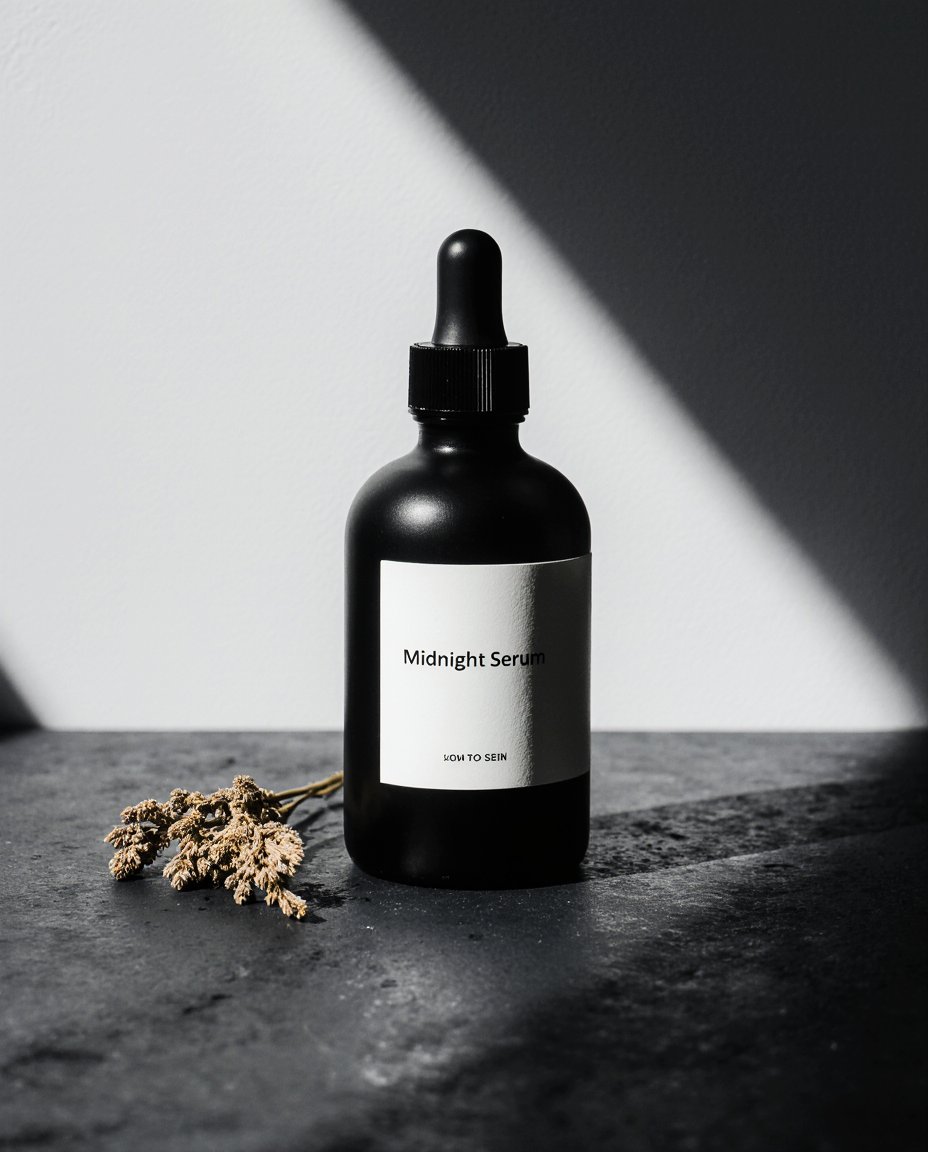
Product Photography
For product photography on Krea, the most important variables are surface and background, lighting, composition, and the brand world you want the image to sit in. Start by describing the product precisely: material, finish, shape, and any key details like labels or hardware. Then define the surface it sits on, the lighting direction and quality, and the overall mood.
Terms like “shallow depth of field,” “shot on medium format,” and “studio quality” push the output toward a more polished, professional finish. The more specific you are about light and materials, the closer the result gets to what you’re actually picturing.
A sleek matte black glass skincare serum bottle, minimal white label reading "Midnight Serum," placed on a dark grey slate surface with a small sprig of dried botanicals to the left. Single soft light source from the upper left casting a gentle shadow to the right, cool color temperature, clean and minimal composition, slight reflection on the slate surface. Luxury skincare brand aesthetic, shallow depth of field, shot on medium format, studio quality, photorealistic, 8K.
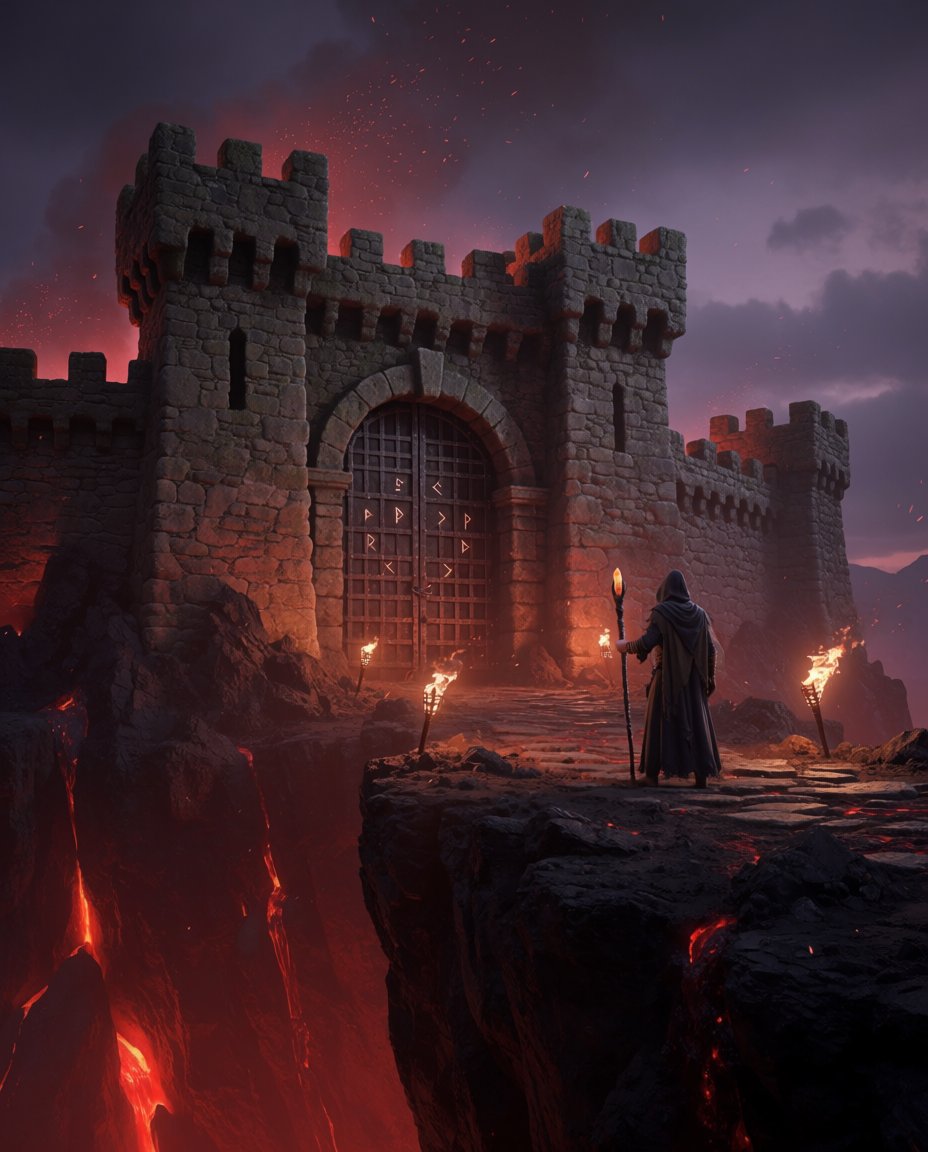
Concept Art
A weathered stone fortress perched on the edge of a volcanic cliff, lava flows visible in the chasm below casting an upward red glow across the battlements, iron gates reinforced with dark runes etched into the metal, a hooded figure standing at the entrance holding a staff topped with a dim amber crystal. Scattered torches line the approach path, embers drifting upward in the heat. The sky is a bruised purple with low ash clouds. Dark fantasy game art style, high detail on stonework and fabric textures, dramatic volumetric lighting, hero environment concept art, Unreal Engine 5 quality
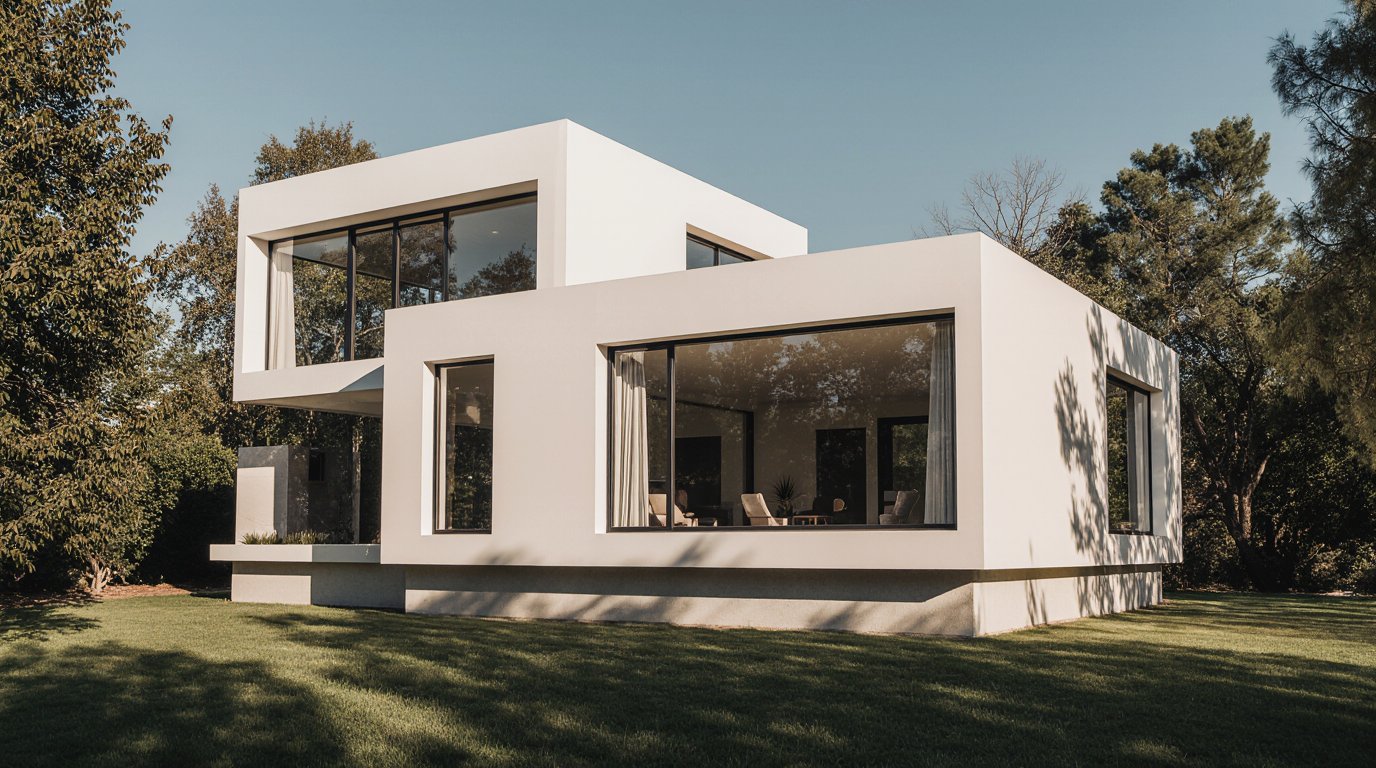
Architecture
The most effective architectural prompts follow a simple formula: Building Type + Materials + Context + Lighting + Quality Keywords. Each component does a specific job, and the order matters — you’re essentially briefing the AI the same way you’d brief a visualization artist, moving from the broad subject down to the fine detail. Building type establishes what you’re generating.
Modern residential house, white stucco facade, large glass windows, concrete base, surrounded by mature trees and green lawn, warm late afternoon sunlight, photorealistic, architectural photography, 4K
Fashion
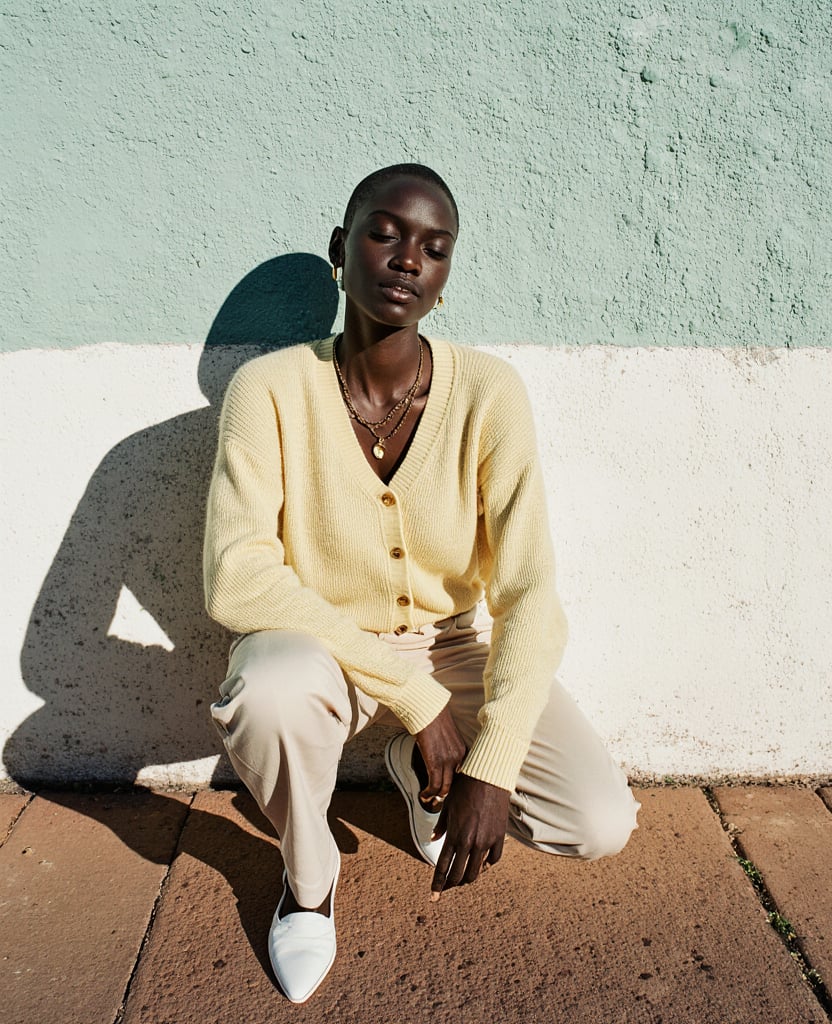
Fashion prompting on Krea rewards specificity. Lock in the garment first, including fabric, silhouette, cut, and any distinctive details like hardware or print, then the pose, expression, and light. Lighting does more work than almost anything else in fashion photography, so be precise about it: hard midday sun, soft studio diffusion, and film grain all produce completely different results. Aesthetic references are worth including too.
Naming a brand, a photographer, or a publication gives the model a clear stylistic target and pulls the output toward an actual editorial rather than a generic fashion image.
A full-length fashion photograph of a tall, lean Black woman with a shaved head crouching low against a painted concrete wall, her back resting against the surface, eyes half-closed and directed at the camera with a relaxed, confident expression. She is wearing a soft pale yellow oversized mohair cardigan with gold buttons, wide-leg cream trousers pooling at the ground, a delicate gold chain necklace, and white leather pointed flats. The wall behind her is painted in two tones — mint green above, white below — with a visible shadow falling across it from strong direct sunlight. The ground beneath her is terracotta-toned concrete. Hard Mediterranean midday light, warm shadows, muted earthy color palette, shot on film, slight grain, contemporary fashion editorial, Sézane lookbook aesthetic, portrait format.