Overview
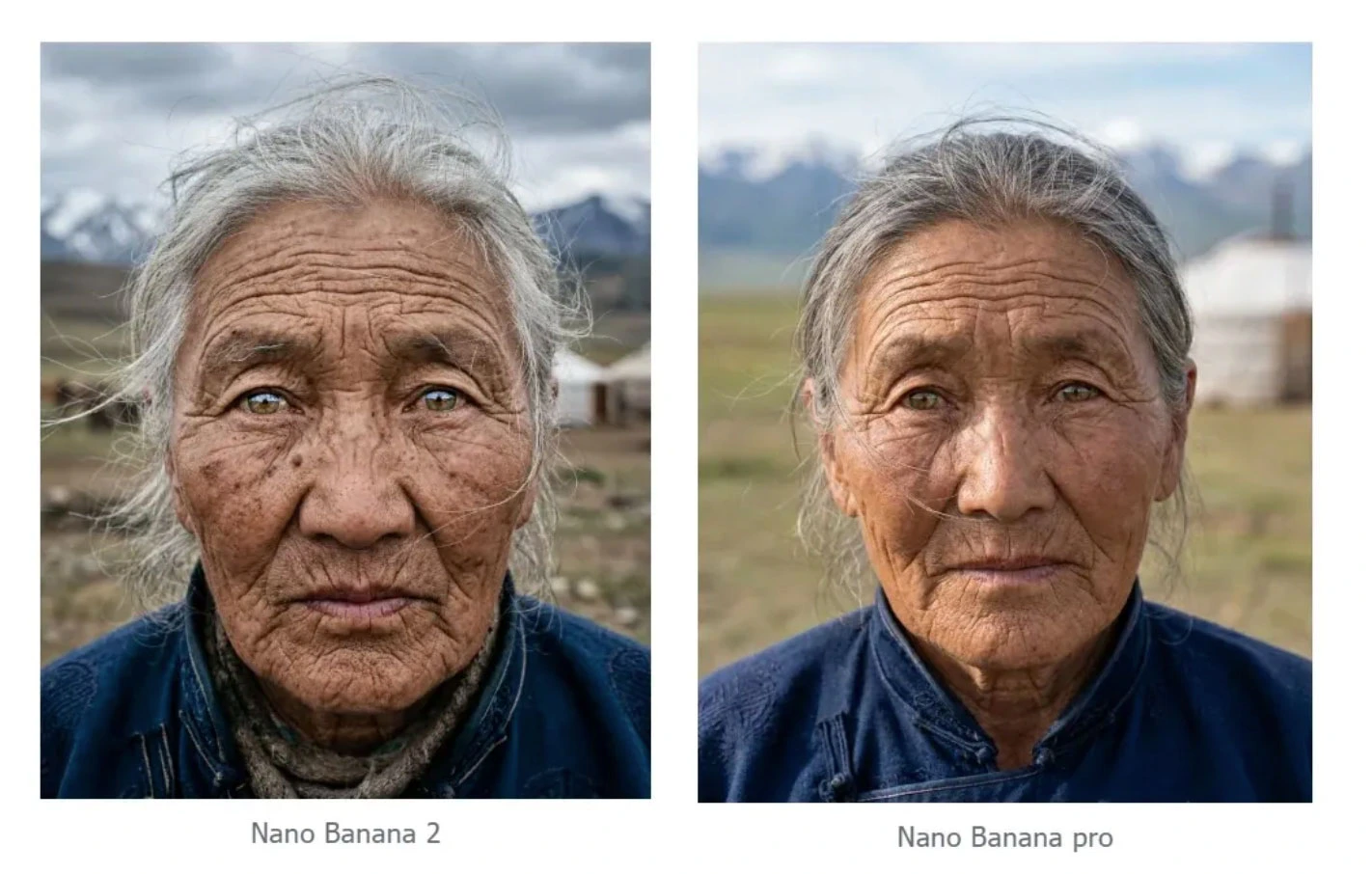
Nano Banana 2 is Google DeepMind’s most recent and most capable image generation model, released on February 26, 2026. Built on Gemini 3.1 Flash Image, it combines the speed of the original Nano Banana with capabilities that surpass Nano Banana Pro: support for up to 14 reference images, multi-resolution output from 0.5K to 4K, real-time web search for current context, and improved text rendering and character consistency. On the day of its release, it became the default image generation model across the Gemini app, Google Search, and Google’s Flow video platform — a signal of how significantly it outperforms its predecessors.Getting Started
- Go to Image Generation — Navigate to krea.ai/image and select the model from the dropdown.
- Select Nano Banana 2 — Open the model picker and choose Nano Banana 2 from the Intelligent Models section.
- Write your prompt — Nano Banana 2 handles both simple and complex prompts well. Be as specific as the task demands.
- Add reference images (optional) — Upload up to 14 reference images to guide style, composition, or maintain character consistency across multiple outputs.
- Choose your resolution and aspect ratio — Select from 0.5K up to 4K depending on your use case.
- Generate — Click Generate. Nano Banana 2 is fast despite its capabilities.
- Iterate — Use follow-up prompts to refine your result, or bring it into the Edit or Enhancer tool.
At a Glance
| Feature | Detail |
|---|---|
| Speed | Fast (2/3) |
| Credits | ~50 per generation |
| Underlying model | Gemini 3.1 Flash Image (Google DeepMind) |
| Resolution | 0.5K to 4K |
| Reference image support | Up to 14 images |
| Image editing | Yes |
| Text rendering | Excellent — improved over Pro |
| Web search | Yes — real-time context for generation |
| Best at | Fast high-res generation, character consistency, complex scenes |
Overview
Nano Banana 2 is the most capable Google image model available on Krea today. It builds on everything Nano Banana Pro introduced and improves on almost all of it: faster generation, better instruction following, stronger text rendering, and significantly expanded reference image support that enables a level of character and brand consistency across multiple generations that wasn’t practical before. The support for up to 14 reference images is a meaningful capability for anyone working on projects that require a consistent visual identity — a character across multiple scenes, a product in different contexts, or a brand aesthetic applied across a campaign. Feed it the references, describe the transformation, and it maintains identity stability across the series. Its real-time web search capability also sets it apart. Like Seedream 5 Lite, it can pull in current information at generation time, making it useful for topical content, trend-based visuals, and anything that benefits from up-to-date context. Every image it generates includes a SynthID watermark and C2PA metadata, meaning outputs are traceable and compliant with content provenance standards.When to Use Nano Banana 2
| Use When | Avoid When |
|---|---|
| You need high-quality output at speed | You need the absolute cheapest option for rough drafts |
| You’re working with multiple reference images for consistency | The original Nano Banana would do the job just as well |
| Your prompt references current events or trends | |
| You need precise text rendering across complex layouts | |
| You’re maintaining character or brand identity across a series | |
| You need flexible resolution from low-res drafts to 4K finals |
Common Use Cases
- Character consistency: Maintaining a person, character, or product across multiple generations
- Campaign production: A series of images sharing a consistent visual identity
- Complex scenes: Multi-element compositions with accurate spatial and logical relationships
- Topical and trend-based content: Visuals referencing real-time events or current information
- High-resolution finals: 4K outputs for print, large-format, or professional publication
- Text-heavy design: Posters, infographics, labels, and layouts with accurate typography
Prompting Tips
| Tip | Example |
|---|---|
| Use multiple reference images for character consistency | Upload images of the same person or product from different angles |
| Reference current events by name | The web search capability means the model can incorporate live context |
| Specify resolution based on the stage of work | 0.5K or 1K for quick reviews, 2K or 4K for final delivery |
| Describe spatial relationships explicitly | ”The product is centered on a white surface, shadow falling to the right” |
| Use it for editing as well as generation | Describe the specific change you want and it will apply it with consistency |
| Combine text and image prompts for multi-element scenes | Reference images plus a descriptive prompt gives the most controlled output |
Examples
Text-only generation
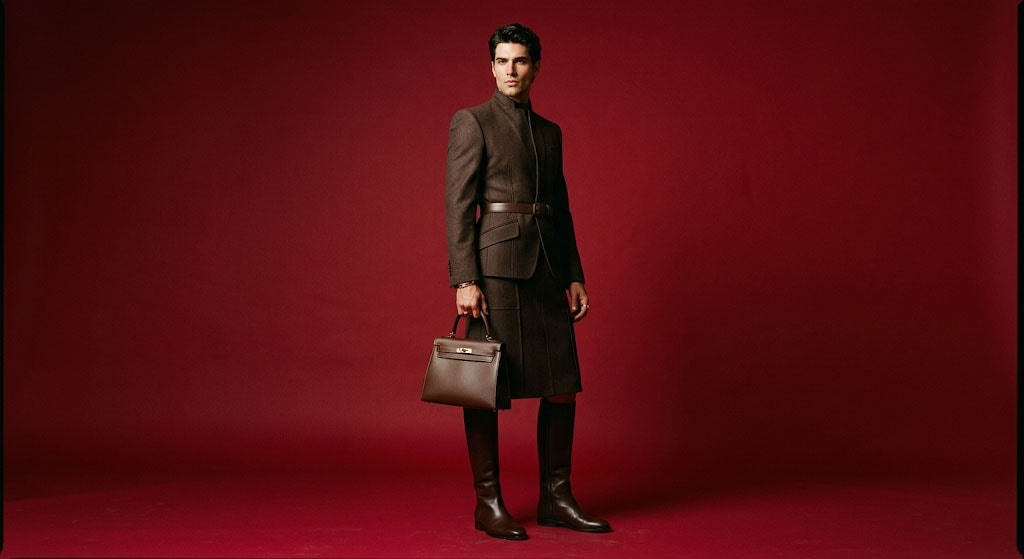
When generating an image, your approach depends on whether you’re working from reference images or building from text alone. Without references, your prompt is doing all the work. Keywords alone won’t get you there, you need to describe the scene the way a director would brief a photographer. Formula: [Subject] + [Action] + [Location/Context] + [Composition] + [Style][Subject] A striking fashion model wearing a tailored brown dress, sleek boots, and holding a structured handbag. [Action] Posing with a confident, statuesque stance, slightly turned. [Location/context] A seamless, deep cherry red studio backdrop. [Composition] Medium-full shot, center-framed. [Style] Fashion magazine style editorial, shot on medium-format analog film, pronounced grain, high saturation, cinematic lighting effect.
Multimodal generation (generation with references)
Nano Banana 2 allows you to combine multiple reference images to guide the final output. This is perfect for maintaining character consistency or merging a specific product into a new environment. Formula: [Reference images] + [Relationship instruction] + [New scenario]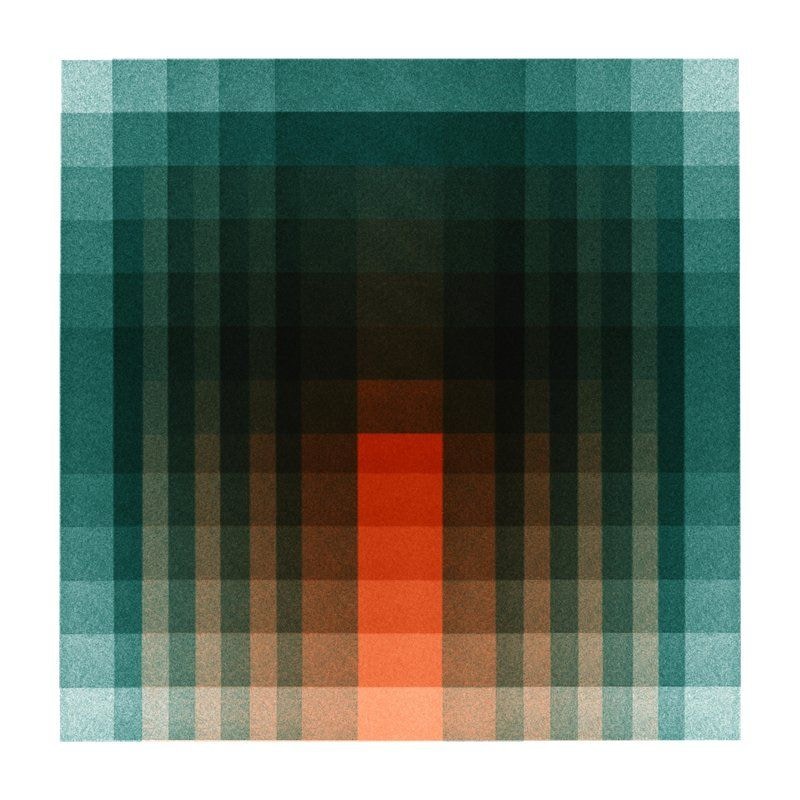
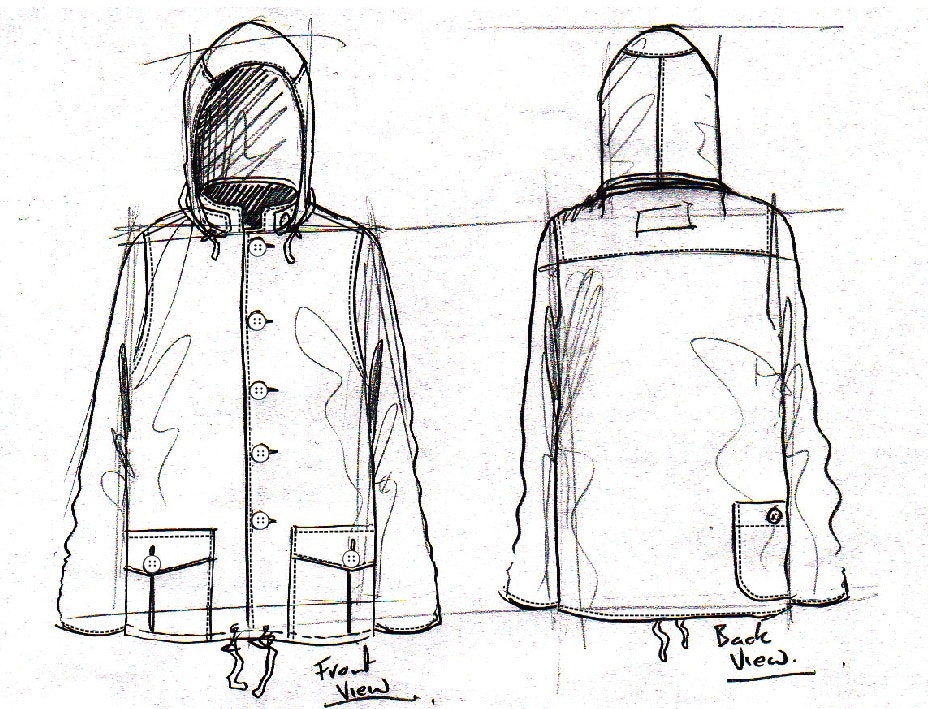
Using the attached sketch of a jacket as the structure and the attached fabric sample as the texture [Reference images], transform this into a high-fidelity fashion photograph of a male model wearing the jacket.[Relationship instruction] Set against a seamless blue studio backdrop. Fashion editorial style, shot on medium-format analog film, pronounced grain, high saturation, cinematic lighting. [New scenario]
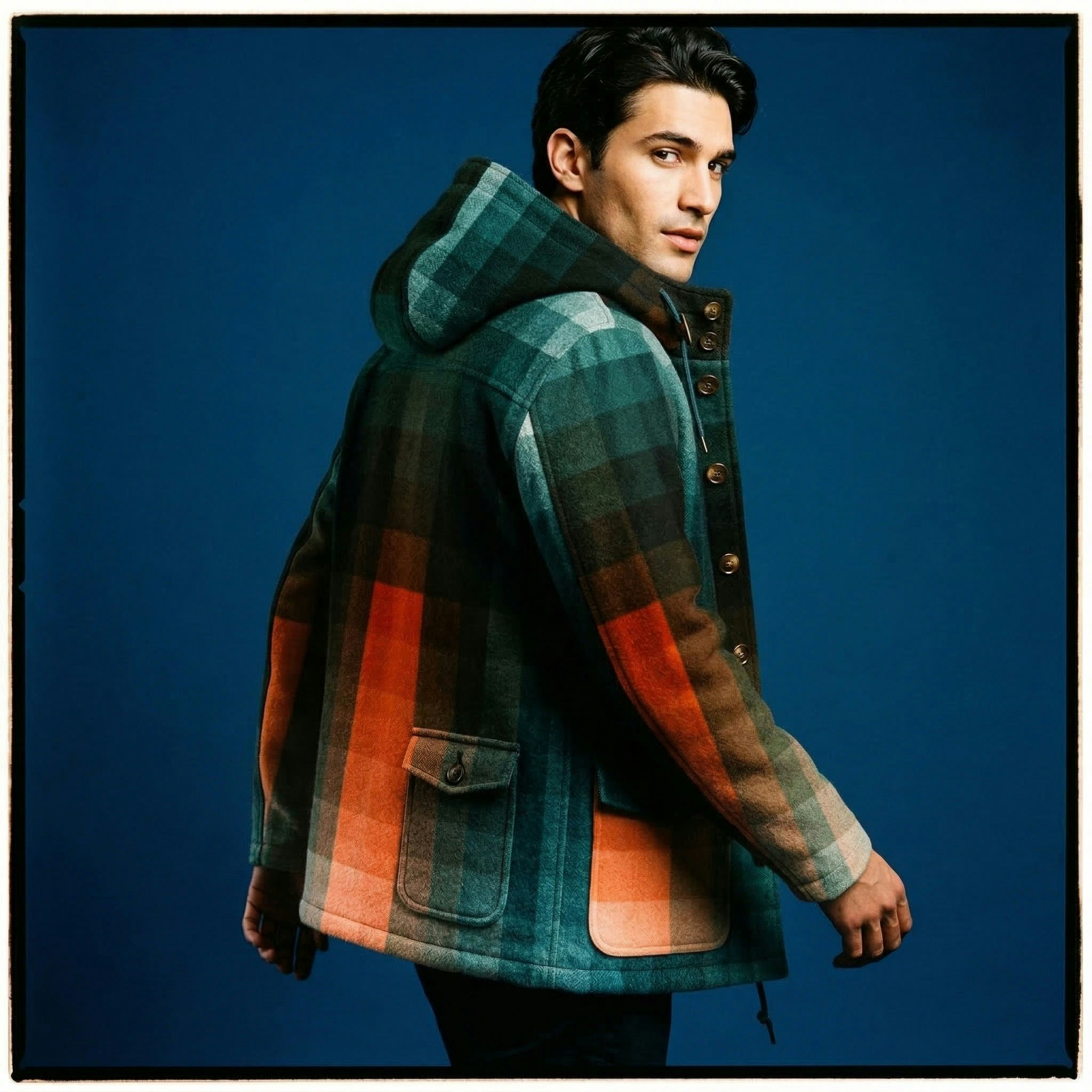
Image Editing
Editing requires a different mindset than generating. You already have a base image; your prompt needs to focus on what is changing and what is staying the same. Conversational editing (without new references) When you generate an image and want to tweak it conversationally: Semantic masking (inpainting): You can define a “mask” through text to edit a specific part of an image while leaving the rest untouched. Prompting tip: Be explicit about what to keep exactly the same.Example prompt:
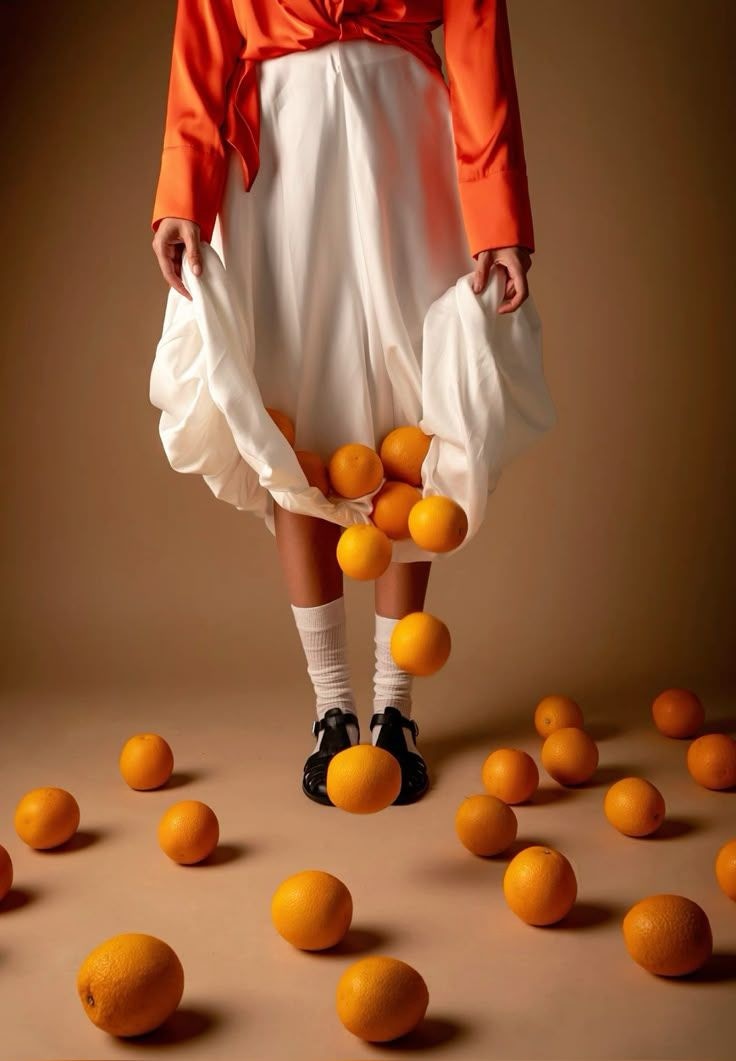
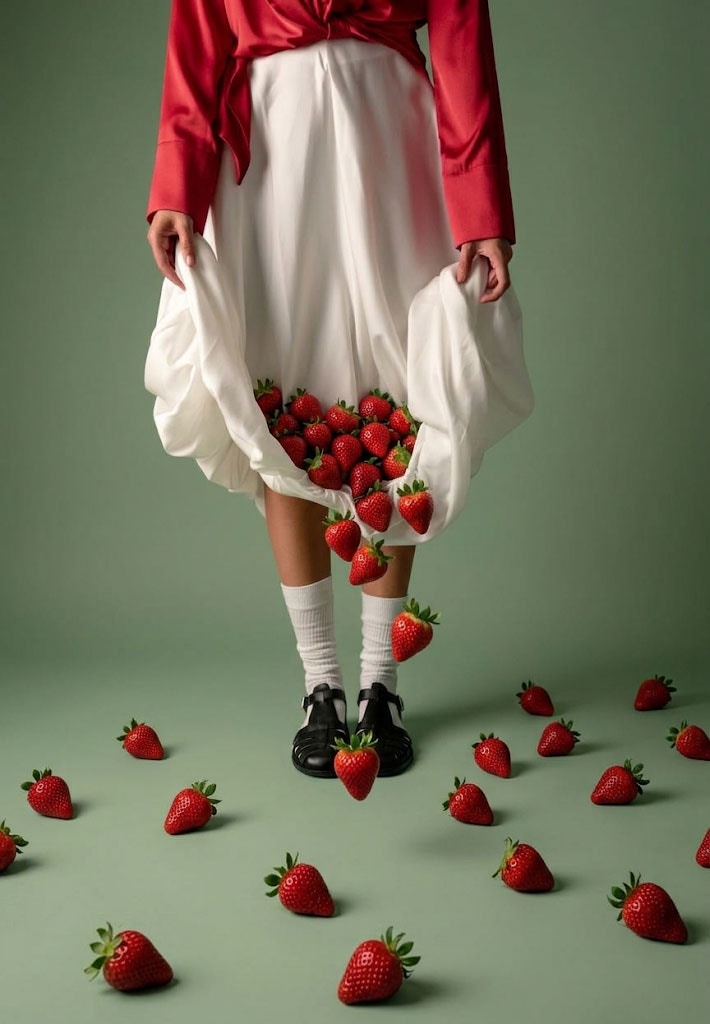
change the oranges into strawberries and adapt the palette to reflect the red of the strawberries