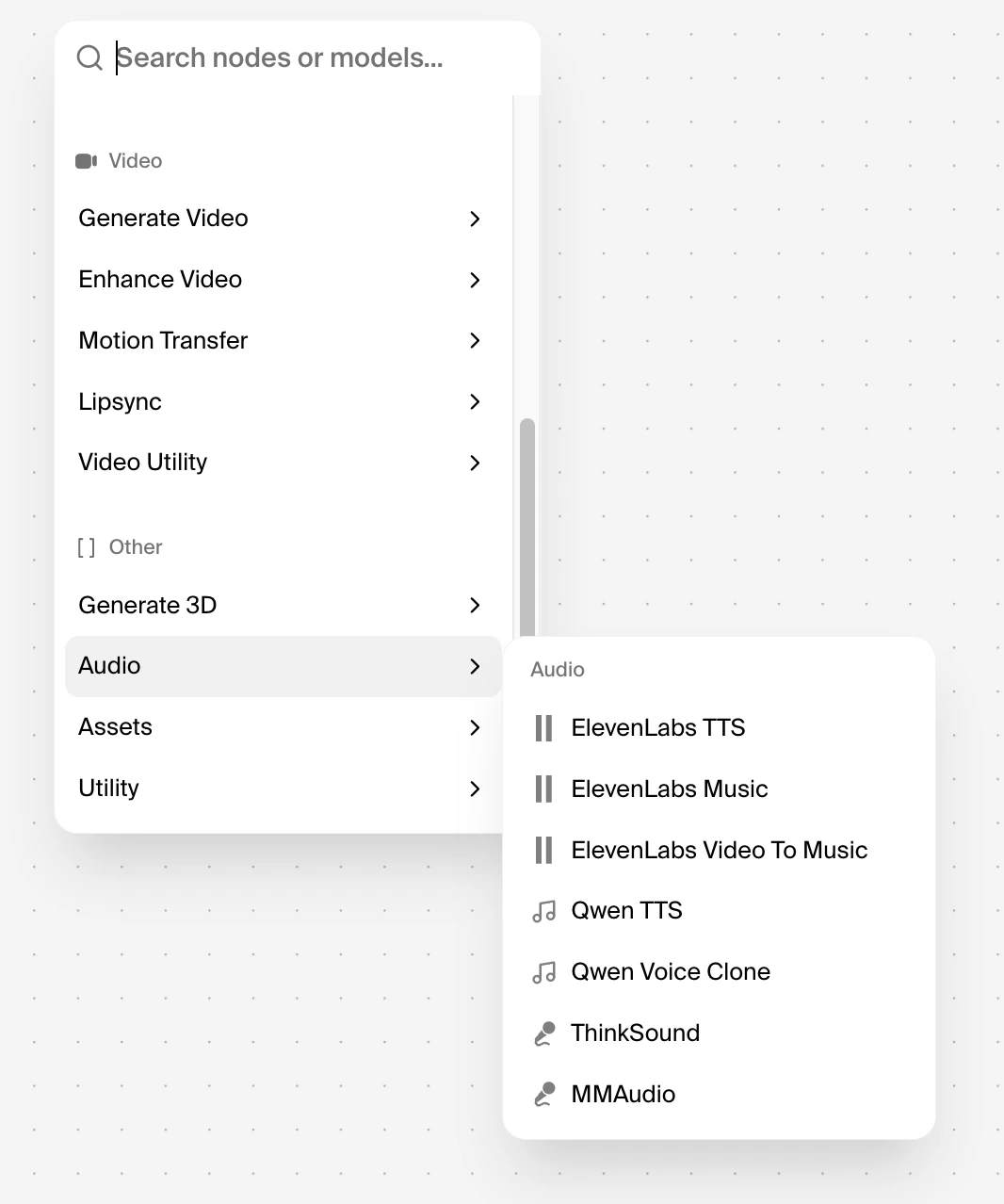
Audio integrations
Krea’s Audio integrations let you generate speech and music directly inside the Node workflow, so audio can be part of the same creative pipeline as the rest of your project.
You can access Audio integrations from the Node workflow interface by opening the node menu and navigating to Audio.
Available models: ElevenLabs TTS, ElevenLabs Music, ElevenLabs Video To Music, Qwen TTS, Qwen Voice Clone, ThinkSound, and MMAudio.Audio integrations are available on all Krea plans.
ElevenLabs Music
What is ElevenLabs Music
Use ElevenLabs Music in Krea when you want to generate original music directly inside your workflow from a text prompt.
It can create studio-grade tracks in different styles and understands both plain-language descriptions and more technical musical directions, so you can guide mood, genre, structure, instrumentation, and whether the result should include vocals or stay instrumental.
How to access in Krea.ai
In Krea’s Node workflow, add the ElevenLabs Music node when you want your workflow to output a music track from a prompt.
After adding the node, enter your prompt, adjust any available settings such as duration or creative controls, and run the workflow to generate audio.
Best practices
Be specific in your prompt so Krea can pass clear creative direction to ElevenLabs.
Include the mood, genre, instruments, pacing, and structure you want, and keep each prompt focused on one musical goal at a time for more predictable results.
If you are building a longer piece, start with a short generation and iterate section by section instead of trying to generate the full composition in one pass.
Example
Genre: Desert folk / Americana instrumental.
Mood: Warm, unhurried, sun-drenched. Hammock on a porch in late afternoon.
Tempo & feel: 92 BPM, loose rolling groove with a slight behind-the-beat swing.
Instruments: Fingerpicked nylon-string guitar as the lead voice. Second acoustic guitar softly strumming underneath. Brushed snare and shaker for rhythm. Warm upright bass holding the low end. Pedal steel swells in the background for atmosphere.
Structure: Open with two bars of fingerpicked guitar alone, then bring in shaker, brushed snare, and upright bass together. Pedal steel enters as a soft swell underneath at the end.
Mix notes: Mid-range forward, gentle tape warmth, light room sound, no heavy reverb. Roll off sub-bass and soften the high end so it sits well on a portable outdoor speaker. Mono-safe. Keep dynamics consistent. No drops or builds.
Reference: Khruangbin, Calexico, Ry Cooder soundtrack work.
ElevenLabs TTS
What is ElevenLabs TTS
Use ElevenLabs TTS in Krea when you want to turn text in your workflow into natural-sounding speech. It generates lifelike spoken audio with nuanced pacing and intonation, which makes it useful for voiceovers, narration, product demos, tutorials, and multilingual content.
How to access in Krea.ai
In Krea’s Node workflow, add the ElevenLabs TTS node when you want your workflow to output spoken audio from text. After adding the node, enter or connect your text, choose a voice, adjust any available model or output settings, and run the workflow to generate the voiceover.
Best practices
Write your text the way you want it to sound when spoken.
Clear punctuation, short sentences, and natural phrasing usually produce better results, while unclear abbreviations, unusual symbols, or unedited raw copy can make the output less consistent.
For longer scripts, break the text into smaller sections so you can review pacing, fix pronunciation issues, and regenerate only the parts that need changes.
Example